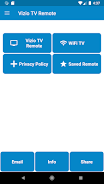
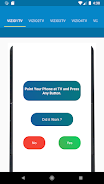
The Vizio TV Remote Control App, developed by AYYAN, is a must-have tool for effortlessly controlling your Vizio LED TVs and Smart TVs. It's important to note that this app is not affiliated with Vizio, but rather serves as a user-friendly platform for accessing and managing your TV's functions. Enjoy the convenience of plug-and-play installation, accessing all the features of your physical remote directly from your smartphone. Additionally, with WiFi functionality available for Android Smart TV casting, you can seamlessly navigate through your favorite apps and channels. Easily access your last used Vizio remote through the saved option, and personalize your experience further with vibration ON/OFF settings in the drawer menu. To use this app, an IR blaster is required for control. If you're unfamiliar with IR blasters, simply install the app and contact us via email, and we'll gladly assist you.
Features of Vizio TV Remote Control:
⭐️ Plug and Play Install: The app installs effortlessly without any complex setup procedures.
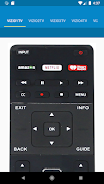
⭐️ All Functionalities in Physical Remote: This app provides all the functionalities found in a physical Vizio TV remote.
⭐️ WiFi Functionality: Users can connect their Android Smart TVs to their smartphones and cast content using the app's WiFi functionality.
⭐️ Saved Option for Last Used Vizio Remote: Users can quickly access and use their last used Vizio remote, making it convenient and efficient.
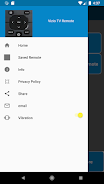
⭐️ Vibration ON/OFF Options: The app offers the option to enable or disable vibration for a more personalized user experience, accessible from the drawer menu.
⭐️ Assistance and Support: If users have any questions or require assistance with the app or connecting their TV, they can reach out to the app support team via email.
Conclusion:
Experience complete control over your Vizio TV with the Vizio TV Remote Control app. It offers easy installation, all the features of a physical remote, WiFi casting, quick access to the last used remote, and customizable vibration settings. Whether you need assistance or have any inquiries, the app support team is ready to help. Download the app now to enhance your TV viewing experience.