Elevate your Android experience with Microsoft Launcher, offering a customizable home screen that boosts productivity. Organize your apps, view your calendar, and manage to-do lists all from a personalized feed. Set it up to either start anew or import your existing layout, and easily switch back if needed.
Features of Microsoft Launcher:
Introduction:
Microsoft Launcher is a versatile app that transforms your Android experience by providing a highly customizable home screen. Its suite of features offers a productive and visually appealing interface. Let's dive into some of its standout features and tips to enhance your smartphone usage.
Attractive Points:
❤ Customizable Icons:
Personalize your phone's appearance with custom icon packs and adaptive icons. Microsoft Launcher lets you achieve a consistent and unique look for your device, reflecting your personal style.
❤ Beautiful Wallpapers:
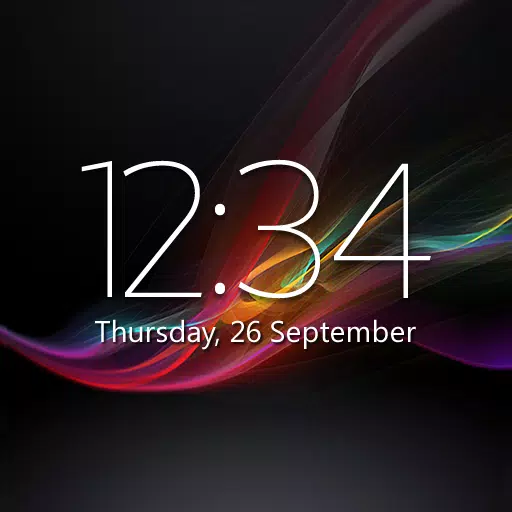
Enjoy a daily dose of visual inspiration with Bing's fresh images or choose your own photos to create a captivating and personalized home screen.
❤ Dark Theme:
Experience enhanced readability and reduced eye strain, especially at night or in low-light environments. Microsoft Launcher's dark theme seamlessly integrates with Android's dark mode settings, providing a comfortable viewing experience.
❤ Backup and Restore:
Moving between phones or experimenting with different home screen setups is now effortless. Microsoft Launcher offers a hassle-free Backup and Restore feature, allowing you to seamlessly transfer your settings and customization. Store your backups locally or save them to the cloud for convenient access.
Tips for Users:
❤ Explore Gestures:
Take advantage of Microsoft Launcher's intuitive gesture controls to navigate your home screen with ease. Swipe, pinch, double-tap, and more to access apps and features quickly.
❤ Utilize Accessibility Service Permission:
Leverage the optional gesture of screen lock and recent apps view offered by Microsoft Launcher's Accessibility Service Permission. This feature enhances ease of use and streamlines your smartphone interactions.
❤ Maximize Productivity:
Harness the power of Microsoft Launcher's integration with other Microsoft services. Utilize speech-to-text functionality for features like Bing Search, Bing Chat, To Do, and Sticky Notes using the microphone permission. Stay organized with calendar info displayed on the Calendar card, and easily call contacts with a swipe using the Phone permission.
Design and User Experience
Customizable Home Screen
Microsoft Launcher provides a highly customizable home screen, allowing users to arrange their apps and widgets according to personal preferences. This flexibility ensures a tailored experience that meets individual needs.
Personalized Feed
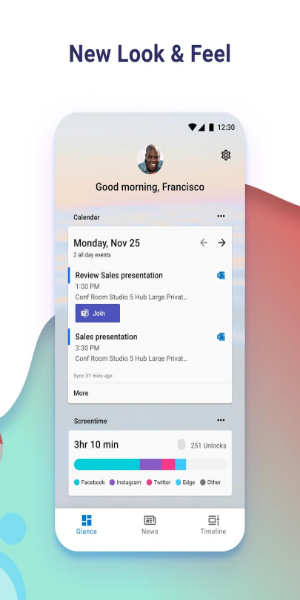
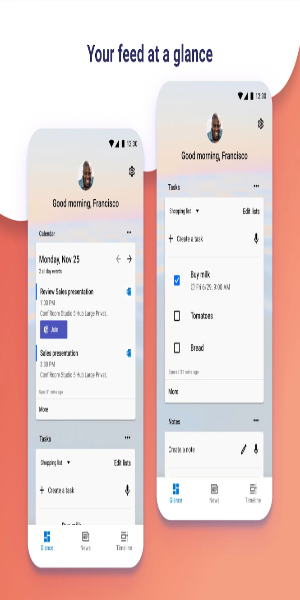
The app features a dynamic feed where users can view their calendar, to-do lists, and other relevant information at a glance. This integration helps keep users organized and informed without navigating away from the home screen.
Sticky Notes Integration
Microsoft Launcher includes a sticky notes feature that allows users to quickly jot down important information or reminders. This on-the-go tool enhances productivity by keeping essential notes easily accessible.
Seamless Setup and Transition
Users can set up Microsoft Launcher by either starting with a fresh layout or importing their current home screen setup. This smooth transition process ensures minimal disruption and allows users to retain their preferred configurations.
Easy Reversion Option
If desired, users can easily switch back to their previous home screen setup. This flexibility ensures that users have control over their interface and can revert to their old setup without hassle.