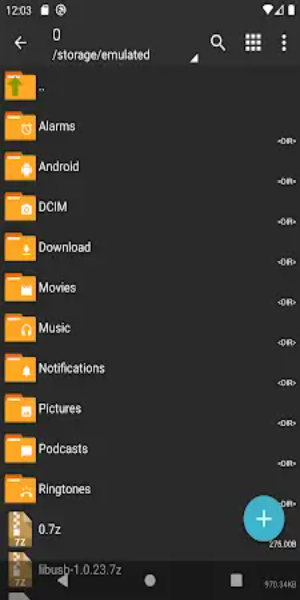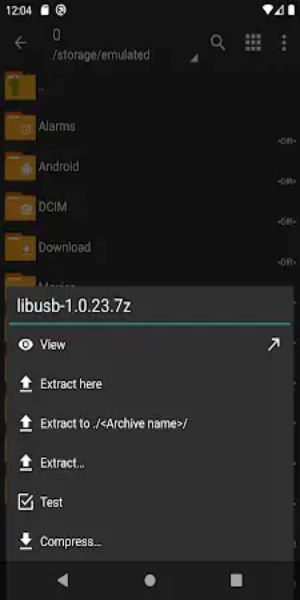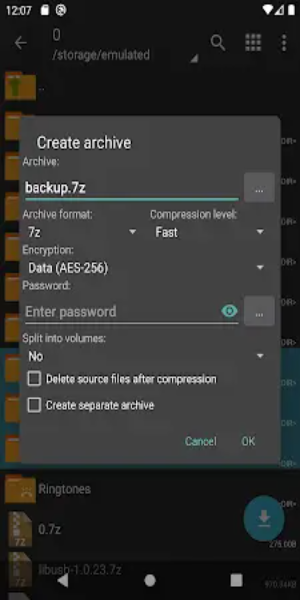
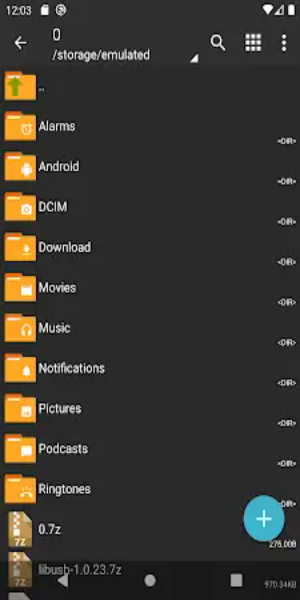
ZArchiver Donate, the premium edition of the widely-used ZArchiver app, delivers powerful archive management tools through a polished and intuitive design. It enables you to create and extract popular formats such as 7z and zip, includes image previews, and lets you modify files without extracting them. Choose between light and dark themes, secure archives with passwords, and install APK or OBB files directly from backups.
Benefits of ZArchiver Donate:
1. Customizable Interface: Tailor the app’s look with flexible light and dark themes, so you can personalize the experience to match your style.
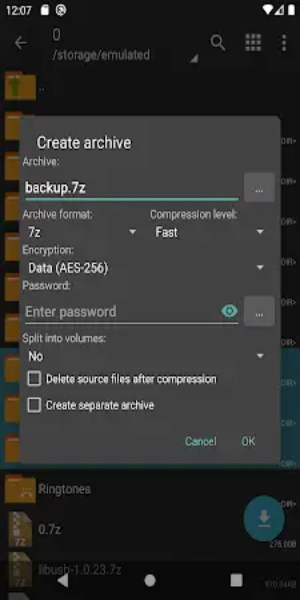
2. Enhanced Security: ZArchiver Donate stores passwords securely, letting you create and unlock protected archives to keep your private files safe.
3. Image Preview Feature: Browse images inside archives before extracting them. This makes organizing and locating visual content quick and easy.
4. File Editing Capability: Make changes to zip, 7z, tar, apk, or mtz files directly inside the archive—no need to decompress first.
5. Privacy Protection: ZArchiver Donate runs offline and does not require internet access, so your personal data always stays private.
Enhanced Performance:
- Optimized Startup from Android 9: ZArchiver Donate starts faster and handles small archive loads more efficiently, even on Android 9 and above.
- Multithreading Support: Take full advantage of multicore processors with multithreading, which speeds up large and demanding archive tasks.
- UTF-8/UTF-16 Filename Support: Work with filenames containing special characters and symbols from multiple languages, ensuring global compatibility.
Other Advanced Features:
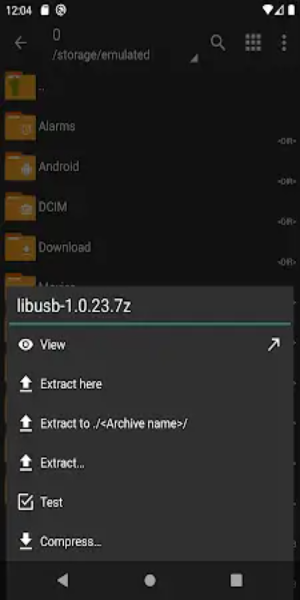
1. Archive Types Supported: Create and extract a wide variety of formats including 7z, zip, bzip2, gzip, XZ, lz4, tar, and zst for better file organization.
2. Archive Content Viewing: Browse the contents of archives like 7z, zip, rar, tar, gzip, and iso without unpacking them.
3. Password-Protected Archives: Set passwords when creating or opening archives to keep confidential information secure.
4. Multi-Part Archive Support: Easily manage multi-part archives including 7z and rar (extraction only), ideal for handling large files split into segments.
5. APK and OBB Installation: Restore apps and data conveniently by installing APK and OBB files directly from archive backups.
6. Partial Archive Decompression: Save time and storage by extracting only the files you need from an archive.
7. File Extraction from Split Archives: Extract split archives such as 7z.001, zip.001, and part1.rar with full format support.
Conclusion:
ZArchiver Donate stands out as a versatile and user-friendly archive management tool. Featuring high-level functionality, strong security, and broad format support, it helps users organize, protect, and edit digital files with ease. Whether you’re a casual user or a power user, ZArchiver Donate offers a complete and reliable solution for all your archiving needs.