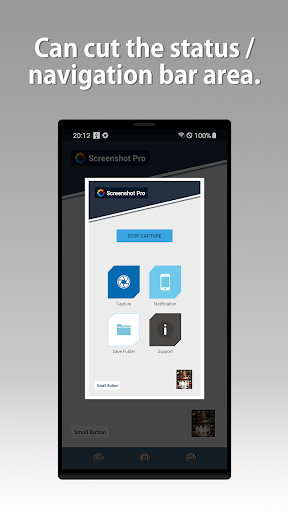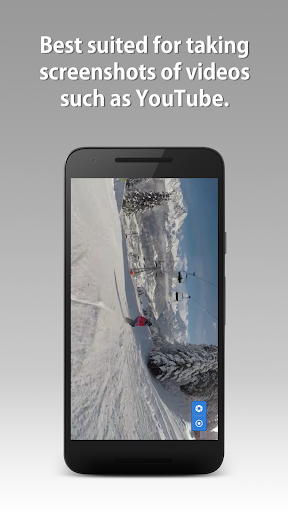
Screenshot - Quick Capture is a powerful and efficient screenshot app for Android devices. Whether you need to capture a moment in a game, a system utility, or anything else, this app is your go-to solution. It offers high performance and allows you to edit screenshots immediately after capturing them. One standout feature is the ability to take screenshots sequentially, perfect for dynamic games or capturing the right moment. The app also allows you to capture screenshots from YouTube and watch videos. With a range of customization options and quick access features, Screenshot (HDM Dev Team) is a must-have app for all Android users.
Features of Screenshot - Quick Capture:
- High performance screenshot utility: The app allows you to quickly take screenshots of your Android device's screen, whether it's from a game, system utility, or any other app.
- Edit screenshots on the spot: After taking a screenshot, you can immediately edit it within the app itself, making it convenient to make any necessary adjustments before sharing or saving it.
- Sequential screenshot capture: The app offers the ability to take screenshots serially, allowing you to capture multiple screenshots one after the other. This is useful for capturing specific moments in dynamic games or any other time-sensitive situations.
- Screenshot from YouTube and video apps: You can also take screenshots directly from YouTube or any other video application, enabling you to capture still images from videos.
- Customize screenshot settings: The app provides various customization options, such as toggling animation shooting on or off, placing the screenshot button on top of all applications (without being displayed in the screenshot), and setting the application icon on the notification bar.
- Easy access and storage options: The app offers quick access to the screenshot feature with just one click. Additionally, you can change the location of where the screenshots are saved, including the standard Gallery of your device. The app also allows for automatic uploading of screenshots to cloud storage and quick access to the most recent screenshot taken.
Conclusion:
Screenshot - Quick Capture is a highly functional and convenient tool for capturing screenshots on your Android device. With its high performance, editing capabilities, sequential capture, and support for capturing screenshots from video apps, it provides a comprehensive solution for all your screenshot needs. The app also offers customization options, easy access, and various storage options, making it a must-have for any smartphone user. Download the app now and enjoy effortless and efficient screenshot capturing. Don't miss out on the other useful programs and updates offered by HDM Dev Team on their website.