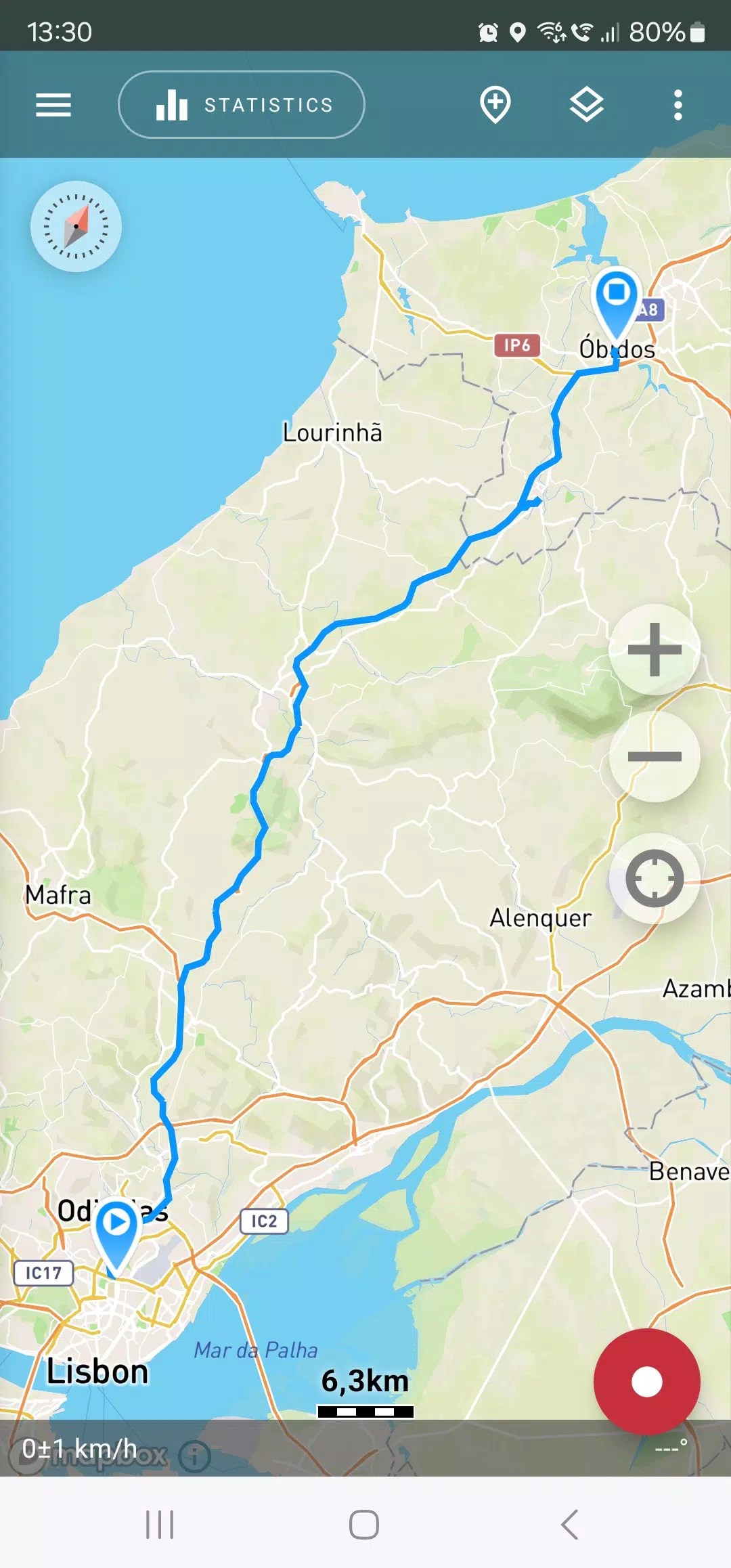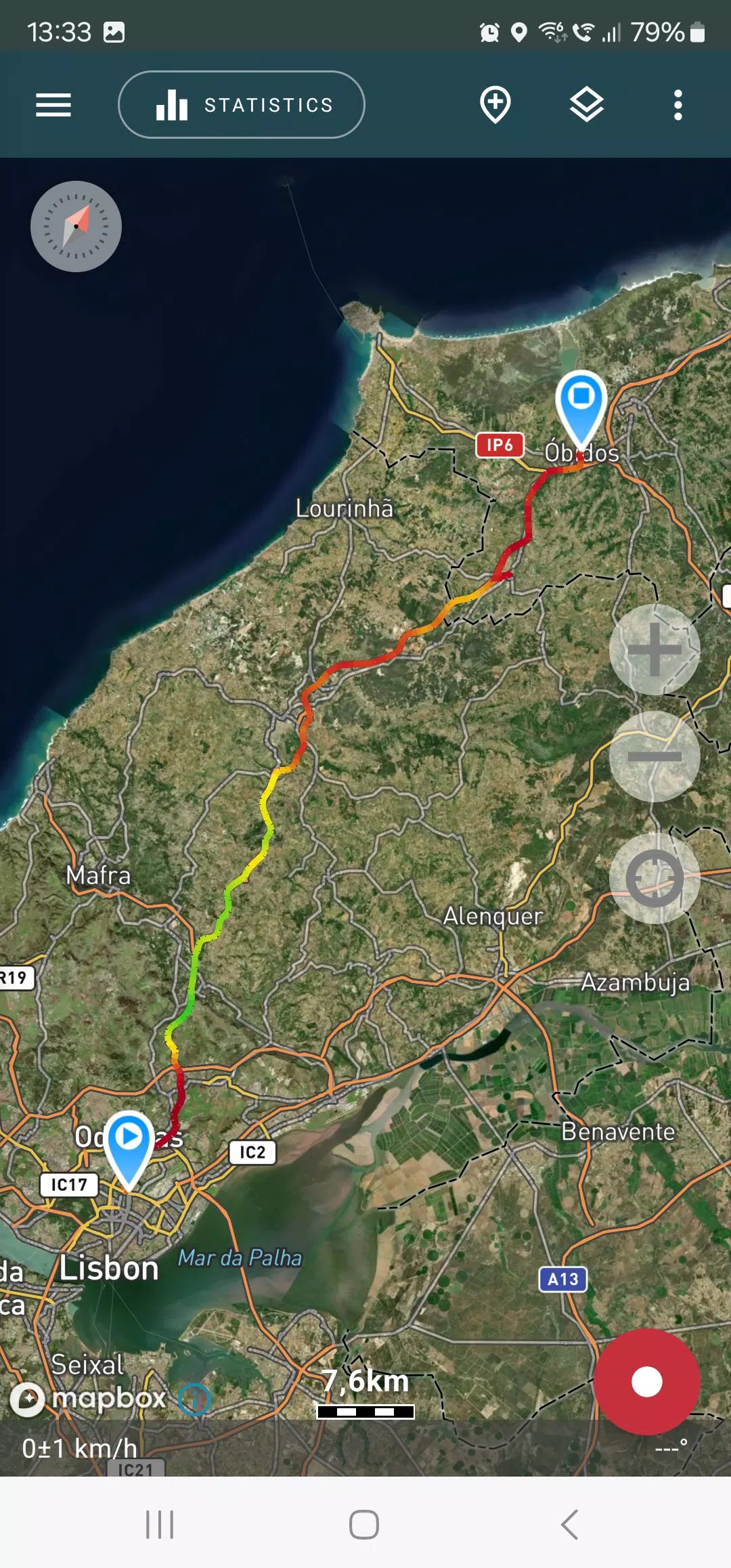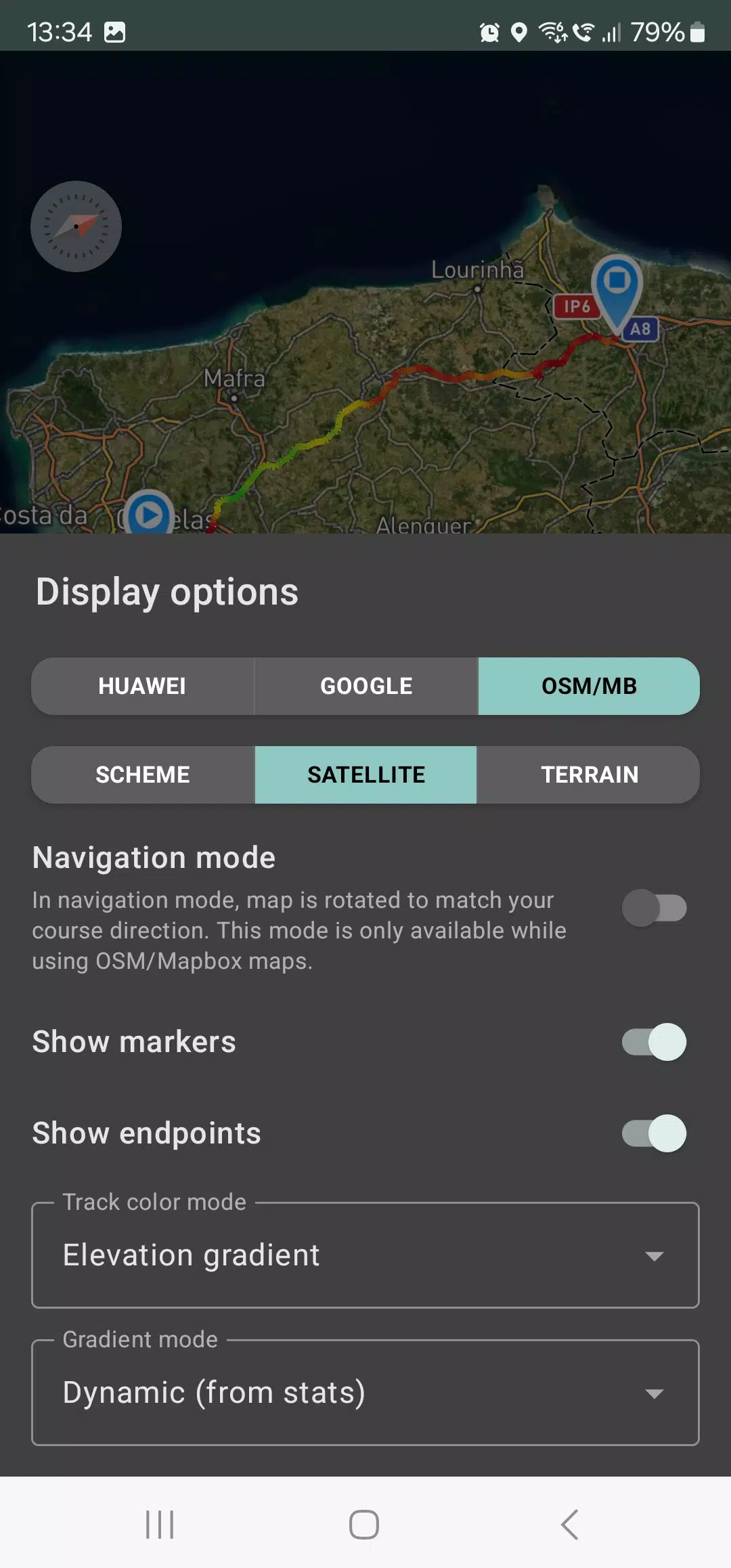
Embark on your adventures with confidence using Geo Tracker, the ultimate GPS tracking app designed for those who revel in outdoor activities and travel. Whether you're navigating with Open Street Maps or Google, Geo Tracker is your go-to companion for recording GPS tracks of your trips, analyzing detailed statistics, and sharing your journeys with friends.
Geo Tracker is not just a tool; it's your guide to:
- Finding your way back in unfamiliar territories without the worry of getting lost;
- Sharing your meticulously planned routes with your social circle;
- Utilizing routes shared by others through GPX, KML, or KMZ files;
- Marking key or interesting points along your path;
- Pinpointing locations on the map with known coordinates;
- Showcasing vibrant screenshots of your achievements on social media platforms.
With Geo Tracker, you can explore tracks and the surrounding landscapes using detailed maps from OSM or Google, as well as satellite imagery from Google or Mapbox. This ensures you have access to the most comprehensive maps globally, with the added benefit of offline availability for viewed map areas (especially effective with OSM maps and Mapbox's satellite images). All you need is a GPS signal to record and calculate track statistics; internet access is only necessary for downloading map images.
Enhance your driving experience with navigation mode, where the map intuitively rotates to align with your direction of travel, making navigation a breeze.
The app's ability to record tracks in the background (note: additional system configuration may be required on some devices, with instructions provided within the app) is optimized for power efficiency, allowing a full day of recording on a single charge. For even better battery management, an economy mode is available in the app settings.
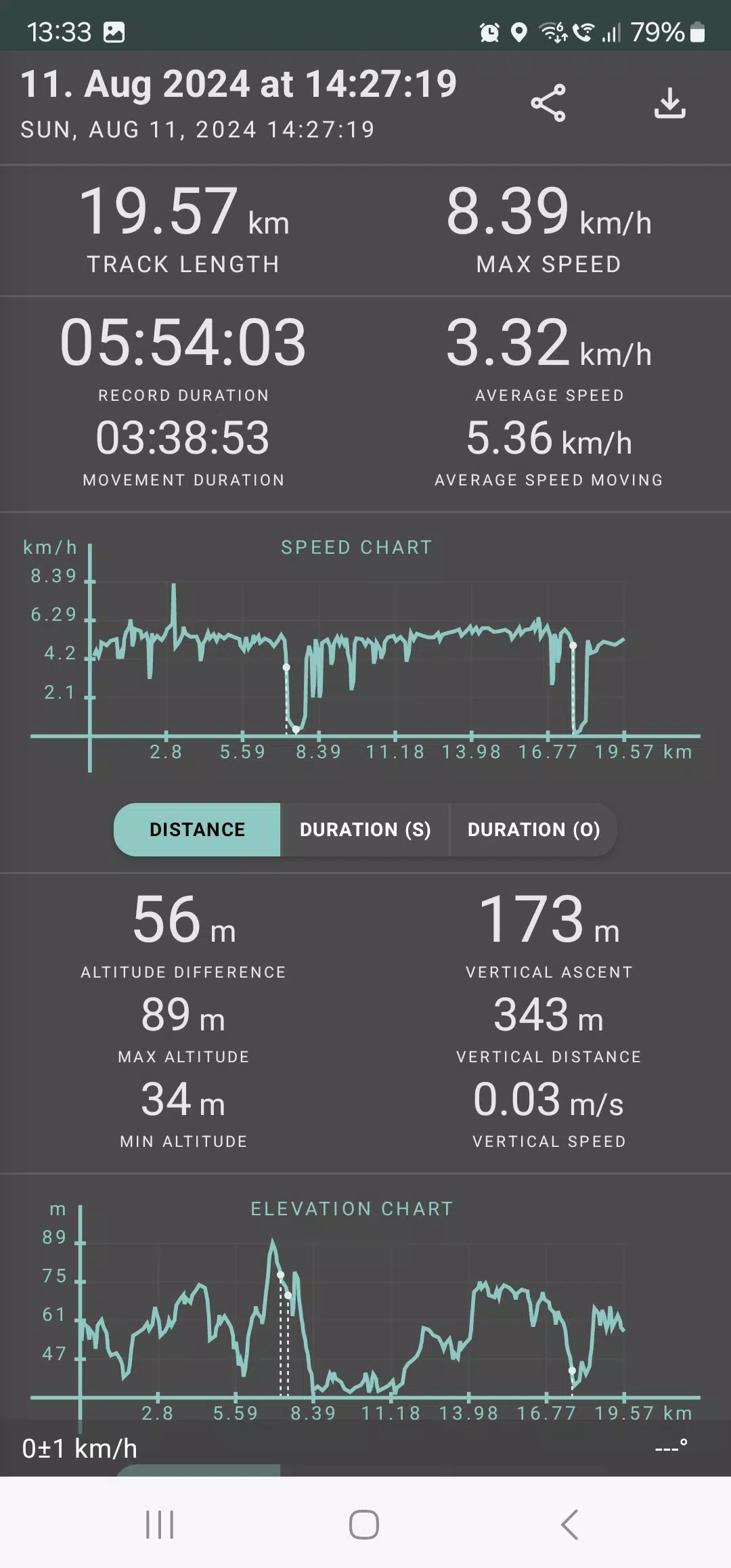
Geo Tracker offers an in-depth analysis of your trips, calculating statistics such as:
- Distance traveled and recording duration;
- Maximum and average speed on the track;
- Time spent in motion and average speed during movement;
- Minimum and maximum altitude, along with altitude difference;
- Vertical distance, ascent rate, and speed;
- Minimum, maximum, and average slope.
Additionally, detailed charts of speed and elevation data are available for a comprehensive review of your journey.
Tracks recorded can be saved in GPX, KML, and KMZ formats, making them compatible with other popular applications like Google Earth or Ozi Explorer. Your data remains securely stored on your device, never transferred to external servers.
Geo Tracker is committed to user privacy, opting out of monetization through ads or personal data. Support for ongoing development can be shown through voluntary in-app donations.
To ensure a smooth GPS tracking experience, here are some useful tips:
- Allow some time for the GPS signal to be acquired before starting tracking.
- Restart your smartphone and ensure a clear view of the sky, free from obstructions like tall buildings or dense forests.
- Be aware that GPS reception can fluctuate due to factors like weather, season, satellite positioning, and areas with poor GPS coverage.
- Activate the "Location" setting on your phone.
- Set your phone to "Automatic date & time" and "Automatic time zone" to avoid delays in GPS signal acquisition due to incorrect time settings.
- Ensure airplane mode is deactivated.
If these tips don't resolve your GPS issues, consider uninstalling and reinstalling the app. Remember, Google Maps utilizes not only GPS but also data from nearby WLAN and mobile networks to enhance location accuracy.
For more solutions and answers to common questions, visit our FAQ page at https://geo-tracker.org/faq/?lang=en.