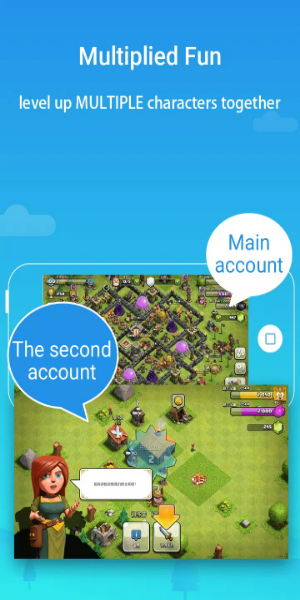
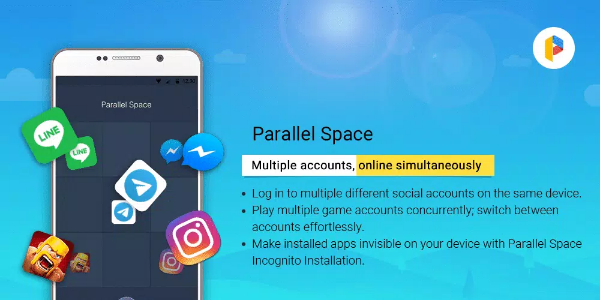
Parallel Space is a versatile app that lets you manage multiple accounts simultaneously on a single device. It creates a virtual environment inside your Android system, enabling you to clone and run multiple instances of apps without conflicts.
What is Parallel Space?
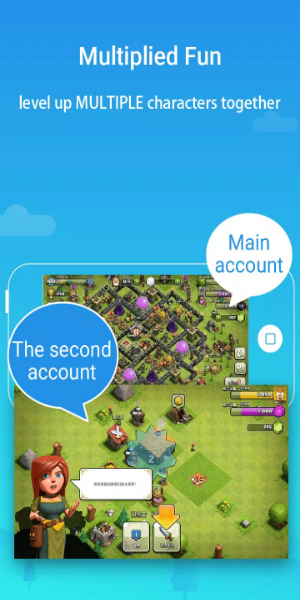
Parallel Space allows you to create multiple copies of any app on one device, so you can use several accounts at once while maintaining privacy and convenience. It delivers an innovative dual-account experience.
Features of Parallel Space
Parallel Space offers standout capabilities, including:
1. Ability to clone apps and games
2. Separate storage for cloned apps
3. Customizable themes and settings
4. Quick switching between accounts
5. Privacy protection via security lock
Altogether, these features make Parallel Space a flexible and user-centric tool.
Benefits of Using Parallel Space
Using Parallel Space offers several advantages.
It simplifies managing multiple accounts without repeated logins.
Your personal data stays separate from work or social accounts.
It saves device storage by cloning apps instead of installing duplicates.
Plus, it improves productivity by supporting smooth multitasking.
Potential Drawbacks:
Although helpful, Parallel Space may use extra memory and battery. Some users experience delayed notifications in cloned apps, and certain premium features require payment.
User Reviews and Ratings
Users often praise Parallel Space for its performance and ease of use. Many highlight reliable cloning and customization options. Some mention occasional bugs, but overall ratings are high thanks to its dependable utility and functionality.

Parallel Space - A Comprehensive Overview
Parallel Space meets the needs of users juggling multiple accounts on one device. The ability to clone and run apps independently is particularly helpful for both professional and personal use. While resource usage can be a concern, the benefits of streamlined multitasking and flexibility make it a valuable tool for maximizing your device’s potential.