Mastering the Mound: Optimal Pitching Settings in MLB The Show 25
While the thrill of hitting a grand slam is undeniable in MLB The Show 25, pitching prowess is equally crucial for victory. Accurately placing the ball, however, can be challenging without the right setup. Dominate the mound with these top pitching settings for MLB The Show 25.
Recommended Video: Best Pitching Settings in MLB The Show 25
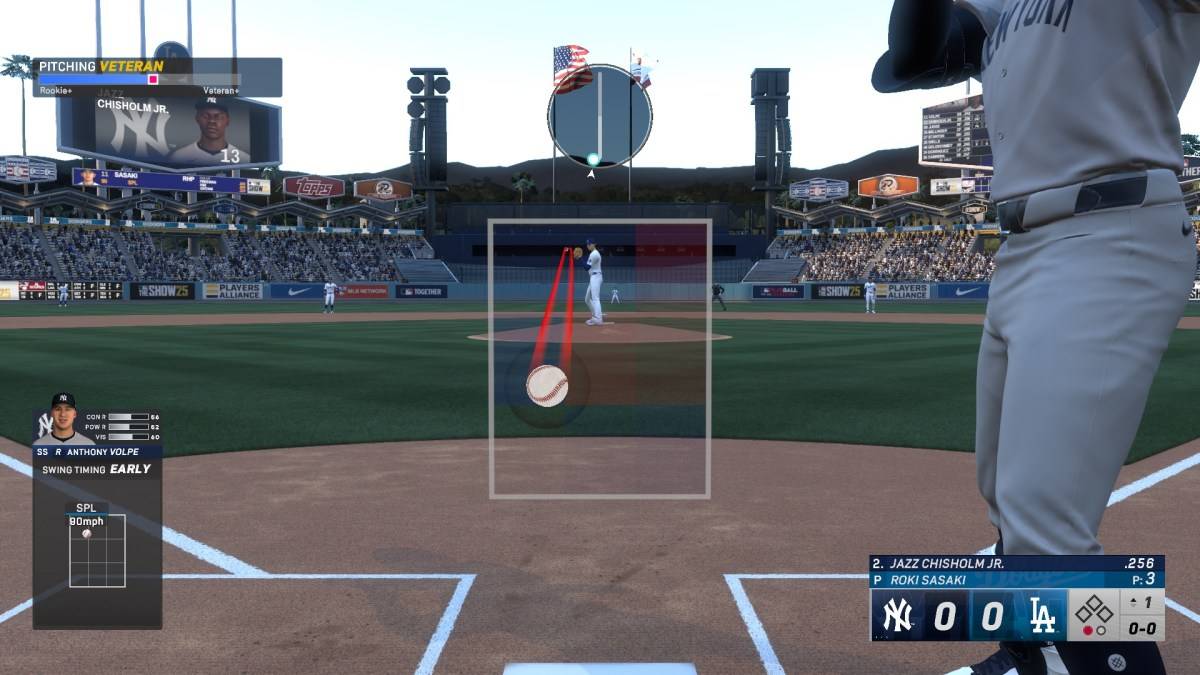
Unlike the extensive hitting options, pitching settings are surprisingly straightforward. A few key adjustments can significantly impact your performance, separating a disastrous first inning from a potential no-hitter deep into the game.
Pitching Interface
| **Best Pitching Interface in MLB The Show 25** |
| Pinpoint |
As in previous MLB The Show iterations, the Pinpoint interface reigns supreme. This is the only method to truly control pitch placement, ensuring the ball lands exactly where you intend. Pinpoint requires drawing a unique line for each pitch; the precision of your line directly affects accuracy.
While mastering Pinpoint takes time due to its unforgiving nature, consistent practice will make precise pitch placement second nature.
Other pitching settings are less critical than the interface. Experiment as you wish, but retaining the Pitching Ball Marker is recommended for maintaining pitch location awareness.
Pitching View
| **Best Pitching View in MLB The Show 25** |
| Strike Zone 2 |
Similar to its effectiveness in hitting, Strike Zone 2 provides the optimal pitching view. This close-up perspective enhances pitch placement accuracy by offering an intimate view of the batter. The limited margin for error in Strike Zone 2, coupled with its familiarity from the batting interface, makes it an ideal choice.
These are the recommended pitching settings for MLB The Show 25. Good luck on the mound!
MLB The Show 25 is currently available in Early Access on PlayStation 5 and Xbox Series X|S.