Quick Links
Loot filters are an essential tool in Path of Exile 2, especially when the game starts showering you with items. They help cut through the clutter on your screen, making it easier to spot the most valuable loot, thus enhancing your overall gaming experience.
Navigating the looting process with a controller on consoles can be a bit cumbersome, but fear not—console players on PlayStation and Xbox can utilize item filters just like their PC counterparts. Setting up these filters on consoles can be a bit tricky, so here's a concise guide to help you get started.
How to Link Path of Exile 2 and Console Accounts
To use loot filters on the console versions of Path of Exile 2, you must link your console account to your Path of Exile account. This process is facilitated through the Path of Exile 1 website. Here's how you do it:
- Log in to the Path of Exile website.
- Click on your account name located in the upper-left corner of the webpage.
- Navigate to "Manage Account" on the right side, just below your profile name and avatar.
- Under "Secondary Login," click the Connect button for either Sony (PS) or Microsoft (Xbox).
Upon selecting the Connect button for your console, you will be prompted to log in with your existing PlayStation or Xbox account. Follow the on-screen instructions, and your accounts will be successfully linked.
Finding and Using Loot Filters
With your accounts linked, return to your profile page on the website and click on the "Item Filters" button on the right side. Then, click on the "Item Filter Ladder" hyperlink. This will open a new tab in your browser displaying the top loot filters for Path of Exile 2.
At the top of the list, you'll see a drop-down box—select "PoE 2" from the options. Choose the filter that suits your needs, and click the "Follow" button on the filter's page. For newcomers to Path of Exile 2, NeverSink's semi-strict or regular filters are recommended for a more streamlined experience.
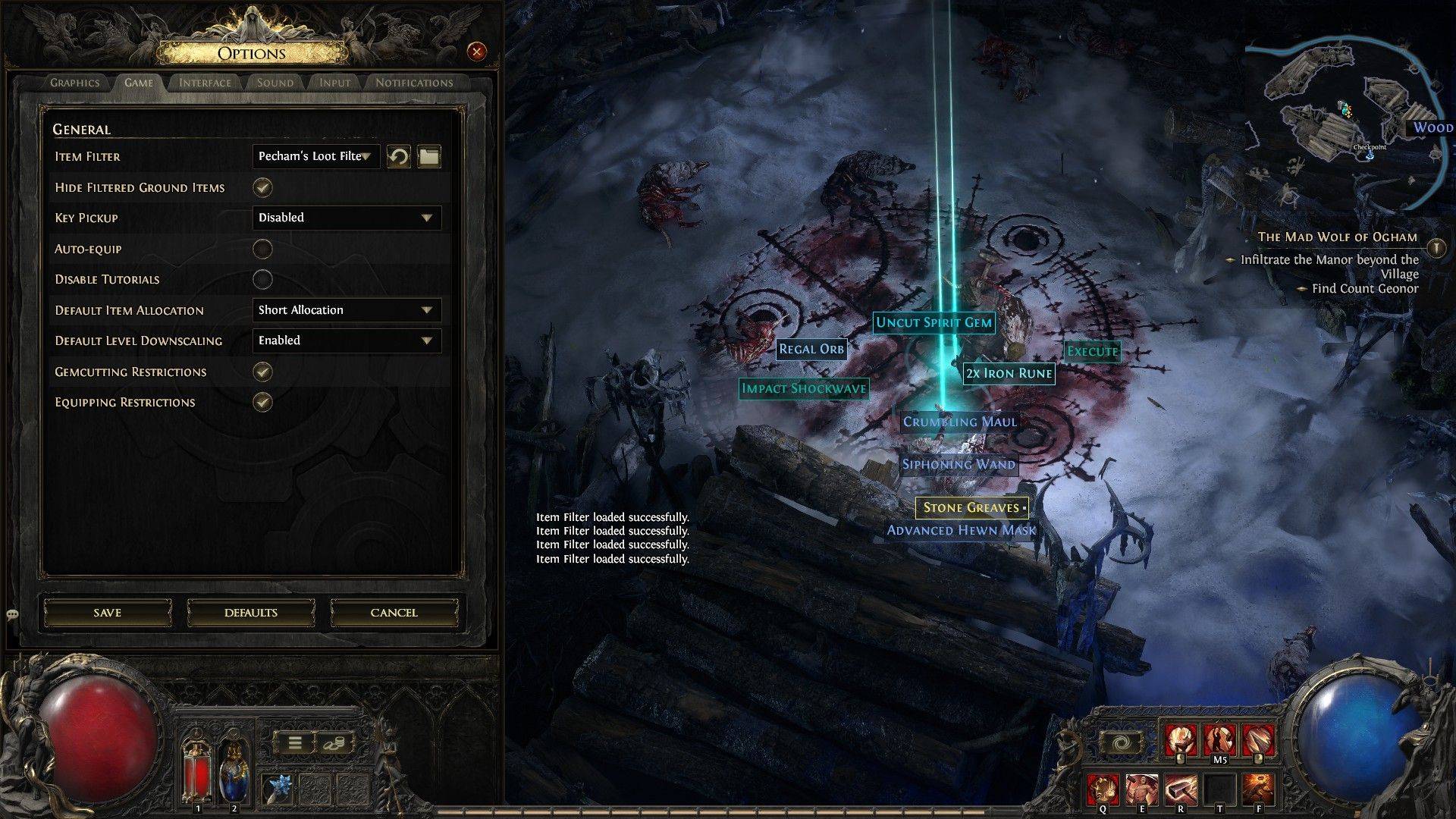
Once you've followed a loot filter on the official website, launch the game and navigate to the Options menu. Go to the Game tab, and at the top, you'll find the "Item Filter" option. The filter you selected on the website should appear in the drop-down menu. Choose it, then click "Save." From now on, items that drop in the game will be marked with different labels, colors, or even sound effects according to the filter you've enabled.