One Punch Man World: A Comprehensive Guide to Redeeming Codes for Exclusive Rewards (June 2024)
One Punch Man World, a captivating open-world action-adventure game featuring Saitama's heroic journey, offers players a chance to acquire valuable resources through redeem codes. These codes provide free in-game rewards like resources, materials, and gems, significantly boosting progression, especially for new players. These codes are frequently released on the game's social media channels, but have limited availability, so act fast!
This article lists currently active redeem codes for the SEA version of One Punch Man World (as of June 2024):
- EggDayOPMW: Redeem for free rewards (New)
- StPattyOPMW: Redeem for free rewards
- OPMWFanfest24: Redeem for free rewards
- OPMW2024: Redeem for free rewards (SEA Servers only)
- OPMWSEA: Redeem for free rewards (SEA Servers only)
These codes are generally single-use per account and currently have no listed expiration dates. Note that no active codes are currently available for the Crunchyroll version.
Troubleshooting Non-Functional Codes
If a code isn't working, consider these possibilities:
- Expiration: While we strive for accuracy, some codes lack official expiration dates and may become inactive.
- Case Sensitivity: Codes are case-sensitive. Copy and paste directly from this list to avoid errors.
- Redemption Limit: Each code is typically a one-time use per account.
- Usage Limits: Some codes have limited uses overall.
- Regional Restrictions: Codes often have region-specific availability. A US code won't work in Asia, for instance.
How to Redeem Codes in One Punch Man World
Follow these simple steps:
- Launch One Punch Man World and log in.
- Access the Dashboard via the phone icon in the main menu.
- Navigate to Settings (usually a gear or wheel icon).
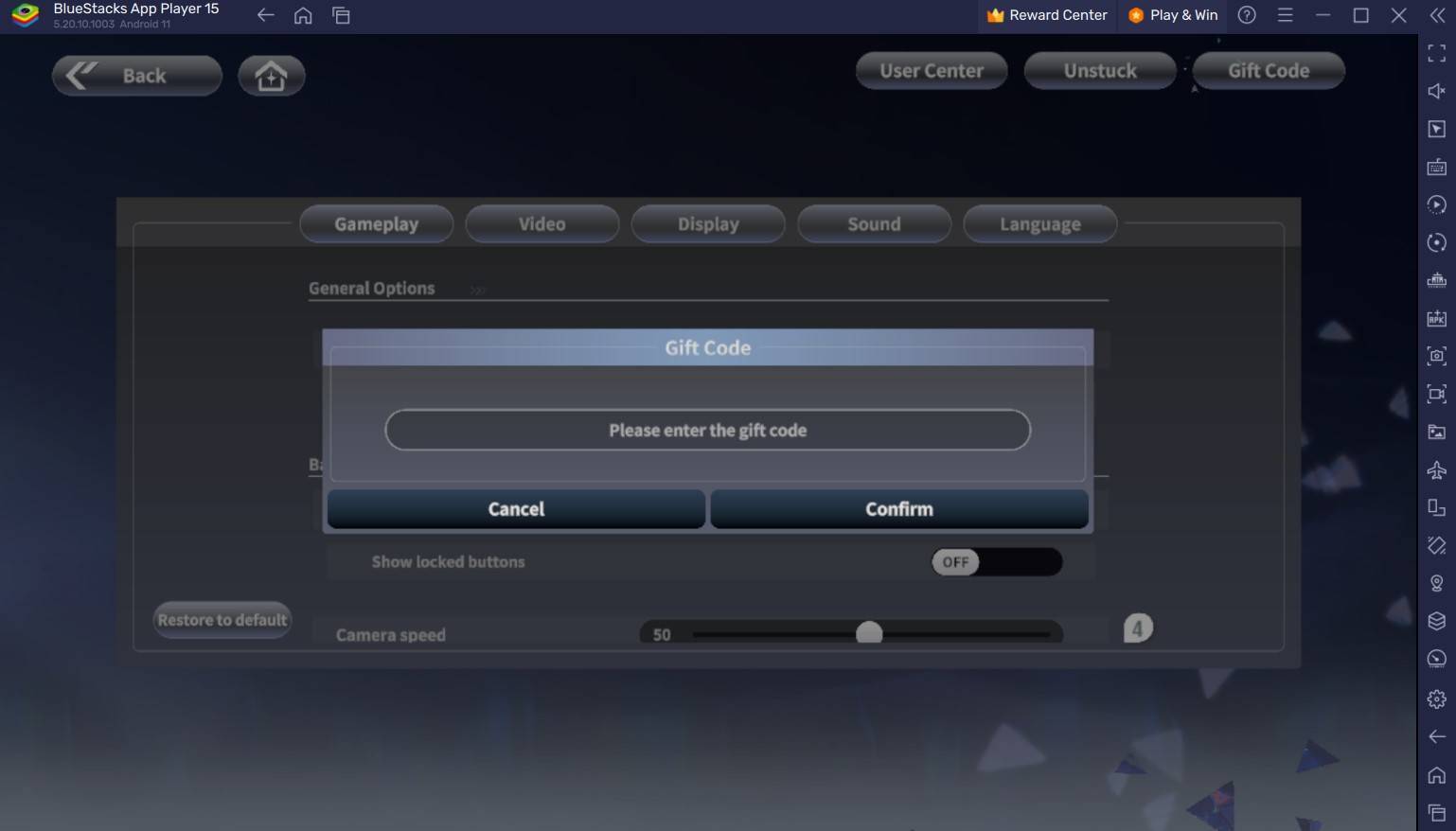
- Locate the "Gift Code" or similar option.
- Enter the code into the provided text box.
- Claim your rewards from your in-game mailbox.
For an enhanced gaming experience, consider playing One Punch Man World on PC using an emulator like BlueStacks for smoother gameplay with keyboard and mouse controls on a larger screen.