If you're a fan of medieval-styled dungeon crawlers, Krafton's latest title, Dark and Darker Mobile, is bound to catch your eye. With 6 distinct classes, each boasting multiple unique active and passive abilities, players are tasked with choosing a class and navigating through dungeons to find an escape route. Along the way, you'll gather various types of loot and weapons to bolster your arsenal. This beginner's guide breaks down the core gameplay mechanics in simple terms, making them accessible even to those new to gaming. Let's dive in!
Understanding the Combat Mechanics of Dark and Darker Mobile
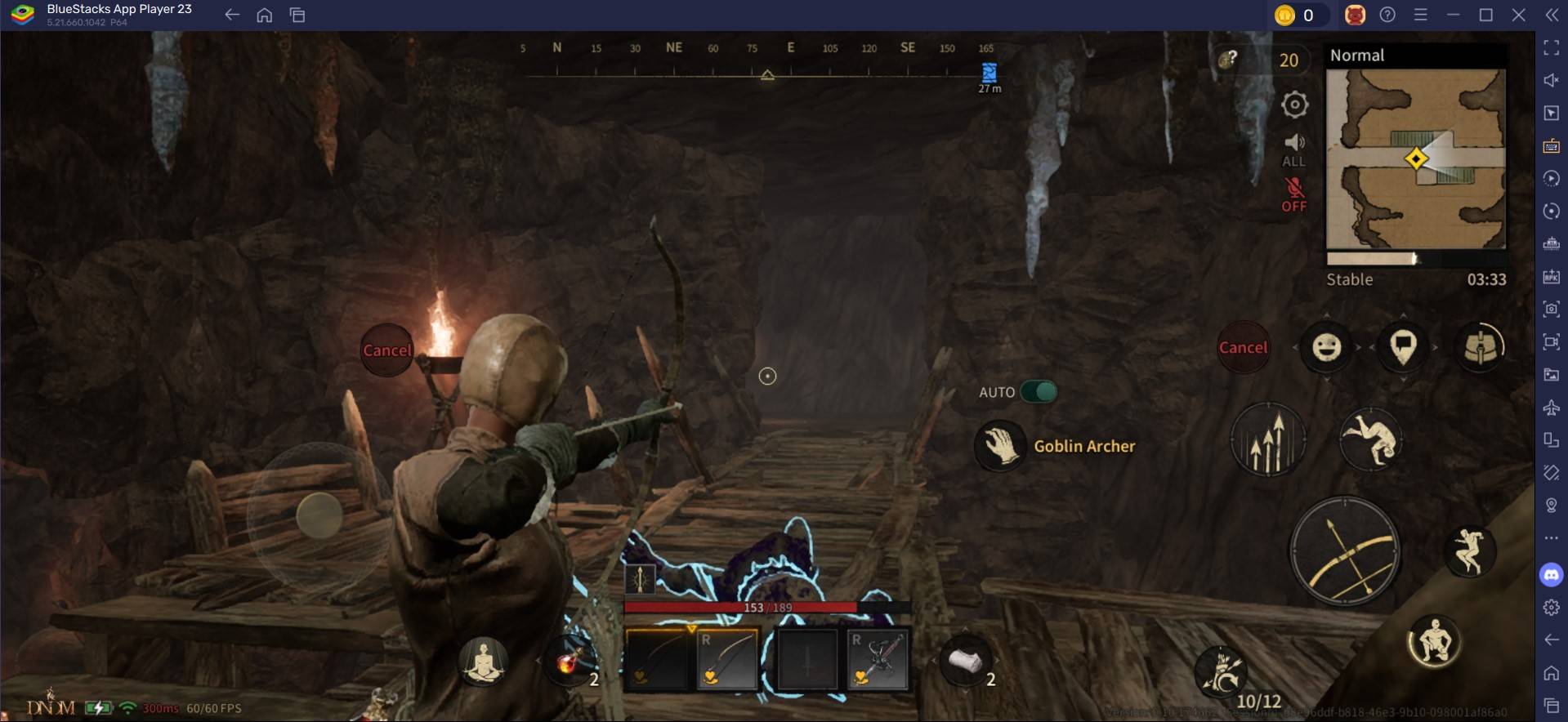
The combat system in Dark and Darker Mobile is designed to be straightforward, minimizing the need for complex tactical inputs. Battles unfold in real-time, requiring players to manually aim and target their enemies. Unlike traditional tab-targeting systems, the mobile version employs a fully action-oriented targeting approach, which significantly enhances the combat experience. Here's how it works:
- Navigation: Use the designated movement wheel to guide your character through the dungeons.
- Attacking: On the right-hand side of your screen, you'll find a prominent basic attack button. This button adapts its icon based on your class and the main weapon you're equipped with, allowing for intuitive combat.
Resting
Resting is a crucial aspect of survival in Dark and Darker Mobile. To rest, simply press the Meditate key, which will prompt your character to sit on the ground. Positioning yourself next to a campfire during rest accelerates the recovery of health and spells. Resting becomes necessary if you've taken damage and have recoverable health, or if you need to replenish your spells.
- Recovery Rate: While resting, you regain 1 HP every 2 seconds, although this can vary based on certain attributes.
- Vulnerability: It's important to remember that you're highly vulnerable while resting, as you cannot move until you perform the animation to stand up.
For an enhanced gaming experience, consider playing Dark and Darker Mobile on a larger screen using BlueStacks on your PC or laptop, along with your keyboard and mouse.