Magic Chess: Go Go: A Beginner's Guide to Dominate the Auto-Battler Arena
Dive into the exciting world of Magic Chess: Go Go, Moonton's auto-battler strategy game set within the Mobile Legends universe. This beginner's guide will unravel the core mechanics and unique features that set it apart from other auto-chess games.
Mastering the Gameplay
Magic Chess: Go Go, a standalone spin-off from Mobile Legends: Bang Bang's popular "Magic Chess" mode, features a classic auto-chess structure. You begin with a small roster of heroes, gradually expanding your team through various rounds. Victories in these battles directly reduce your opponents' HP, making winning crucial for survival.
Each hero occupies a specific position on the board, impacting their effectiveness (e.g., Chang'e, a ranged damage dealer, thrives in the backline). The game features hero rounds, creep rounds, and more. Completing the tutorial is highly recommended for a solid grasp of the mechanics.
The objective is to outmaneuver seven other players. While the core gameplay mirrors Magic Chess, Go Go boasts a wider selection of Mobile Legends heroes and equipment. A key difference lies in the creep rounds, which introduce "Go Go Cards" alongside traditional equipment and crystals. This will feel familiar to Mobile Legends players, as it's essentially an enhanced version of the original Magic Chess mode.
Understanding Hero Synergies
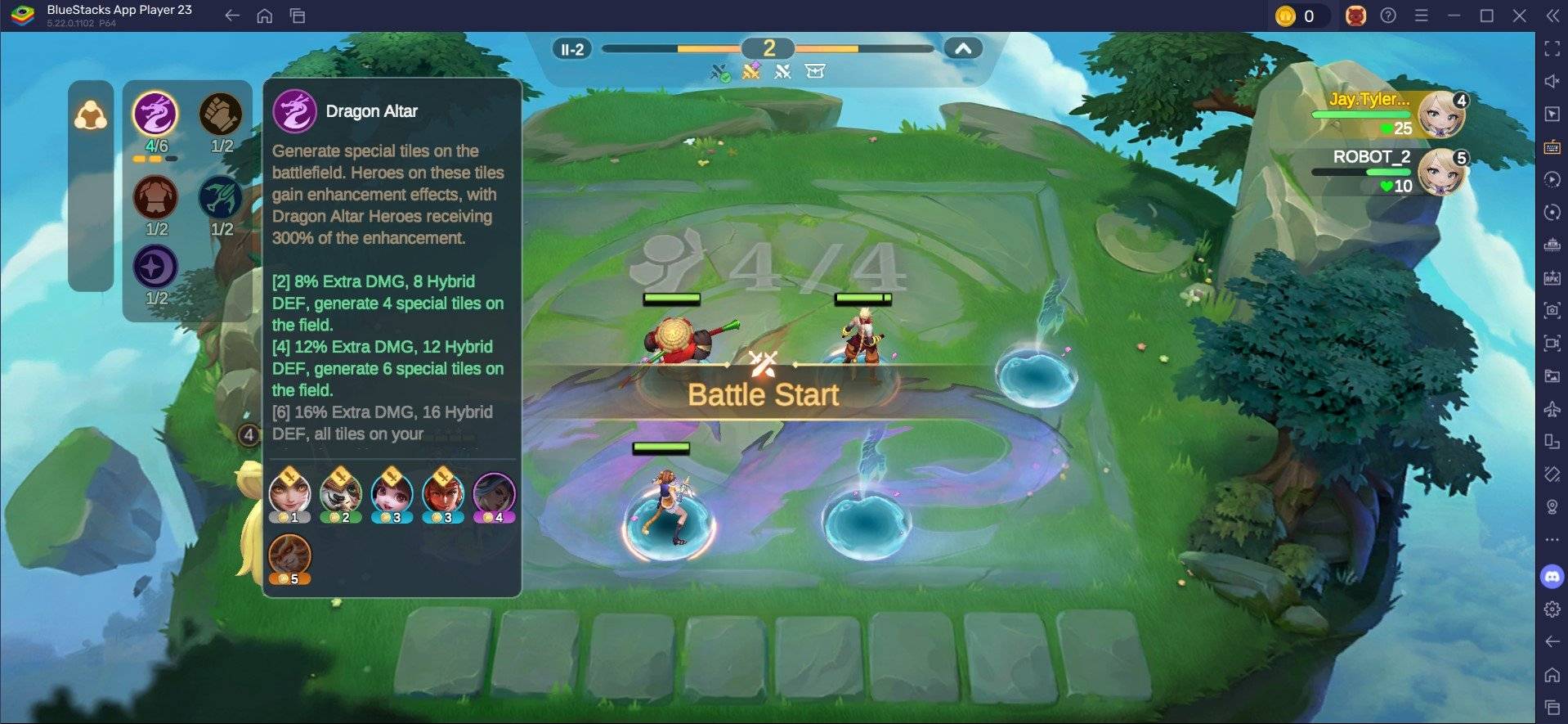
Heroes are categorized into factions, influencing the game's synergy system. Activating synergies by fielding heroes from the same faction grants powerful buffs, such as increased attack, defense, and maximum HP. This is particularly advantageous in ranked and high-level play.
Conquering the Go Go Pass
Similar to Mobile Legends' Starlight Pass, Magic Chess: Go Go offers a "Go Go Pass" with free and premium versions. Premium rewards are accessible only through a purchase. Progress through the pass is achieved by earning Pass XP through daily, weekly, and special tasks, or by spending Diamonds.
Experience Magic Chess: Go Go on a larger screen using BlueStacks, enhancing gameplay with keyboard and mouse controls.