Quick Links
Hyper Light Breaker, the highly anticipated sequel to the indie hit Hyper Light Drifter, offers a significantly different experience. Trading 2D pixel art for a stunning 3D world, while retaining its captivating visual style, it blends rogue-lite gameplay with extraction mechanics, and importantly, adds multiplayer.
Cooperative play is a central feature, making the challenges and rewards more enjoyable with friends. This guide details how to play with friends and how to utilize the game's online matchmaking system.
How To Play Hyper Light Breaker With Friends
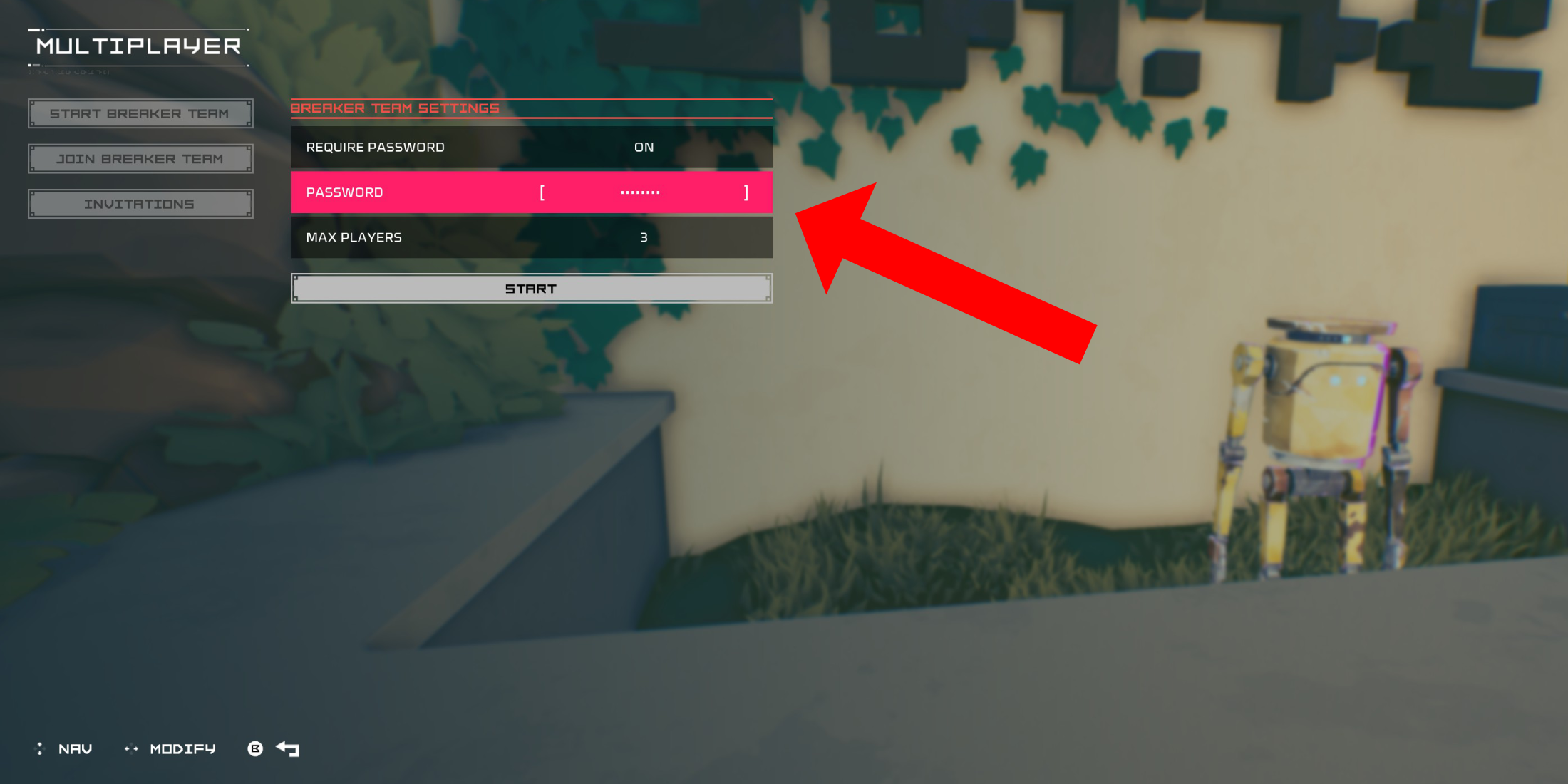 To play Hyper Light Breaker co-op with friends, create a private multiplayer room. From the Cursed Outpost hub, approach the counter to the left of your commander, Pherus Bit.
Press the Interact button (usually R1 or RB) to access the Multiplayer menu. Here, you can create or join teams and check invitations. Select "Create Breaker Team."
Enable "Password Required" and set a password. Invite up to two friends via your platform's social features (PSN, Xbox, and Steam are supported). The game supports three-player teams.
Invited friends will receive an in-game notification if online. Otherwise, they can join using the provided invitation link. Your team might also appear in the "Join Breaker Team" list for direct joining.
Once your friends accept the invite (remember to share the password!), you're ready for co-op action.
Random Online Matchmaking In Hyper Light Breaker
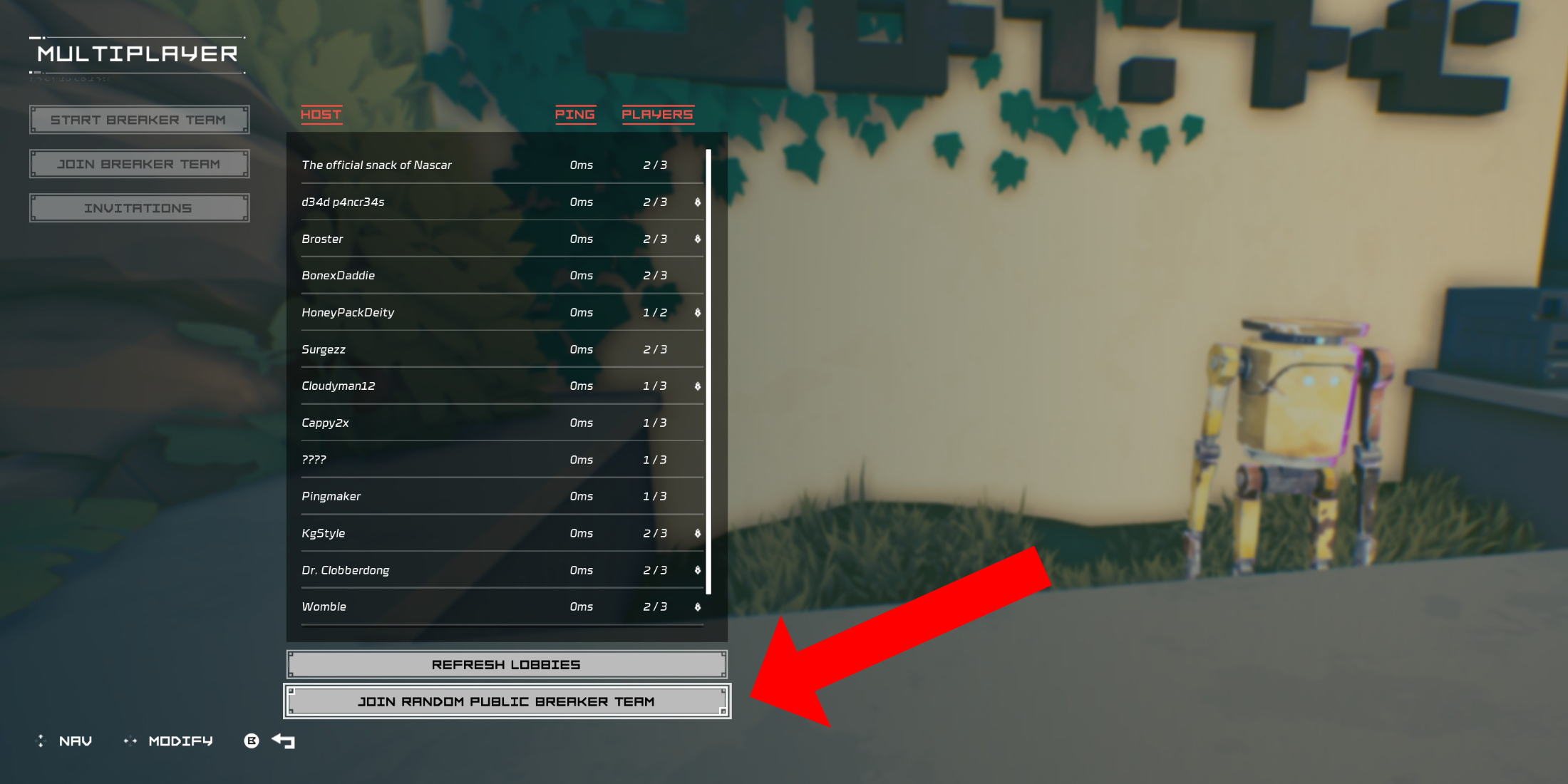 If you lack friends playing Hyper Light Breaker, public groups offer random matchmaking. Create your own public group (without a password) or join a random one.
In the Cursed Outpost's Multiplayer menu, choose "Join Breaker Team," then scroll down and select "Join Random Public Breaker Team."
The game will automatically find an available public team and place you in it. After a short load, you'll join the session.
To leave a multiplayer session, return to the Multiplayer menu in the Cursed Outpost. A "Disconnect" option will appear; select it to return to your solo game. Alternatively, simply quitting the game will also end the session.