Ragnarok Origin: ROO reimagines the classic Ragnarok Online, delivering enhanced visuals, modern gameplay mechanics, and an expansive world brimming with adventure. Developed by Gravity, ROO maintains the original MMORPG's charm while introducing high-quality 3D graphics, smooth animations, and an immersive open world. MAC players, who often miss out on playing top-tier mobile MMOs, can now dive into Ragnarok Origin: ROO natively on their MAC devices, thanks to BlueStacks Air. We tested this on a MacBook and were pleasantly surprised by the seamless performance!
The Fantasy Anime-Stylized Elements of Ragnarok Origin: ROO Come to Life on MAC Displays
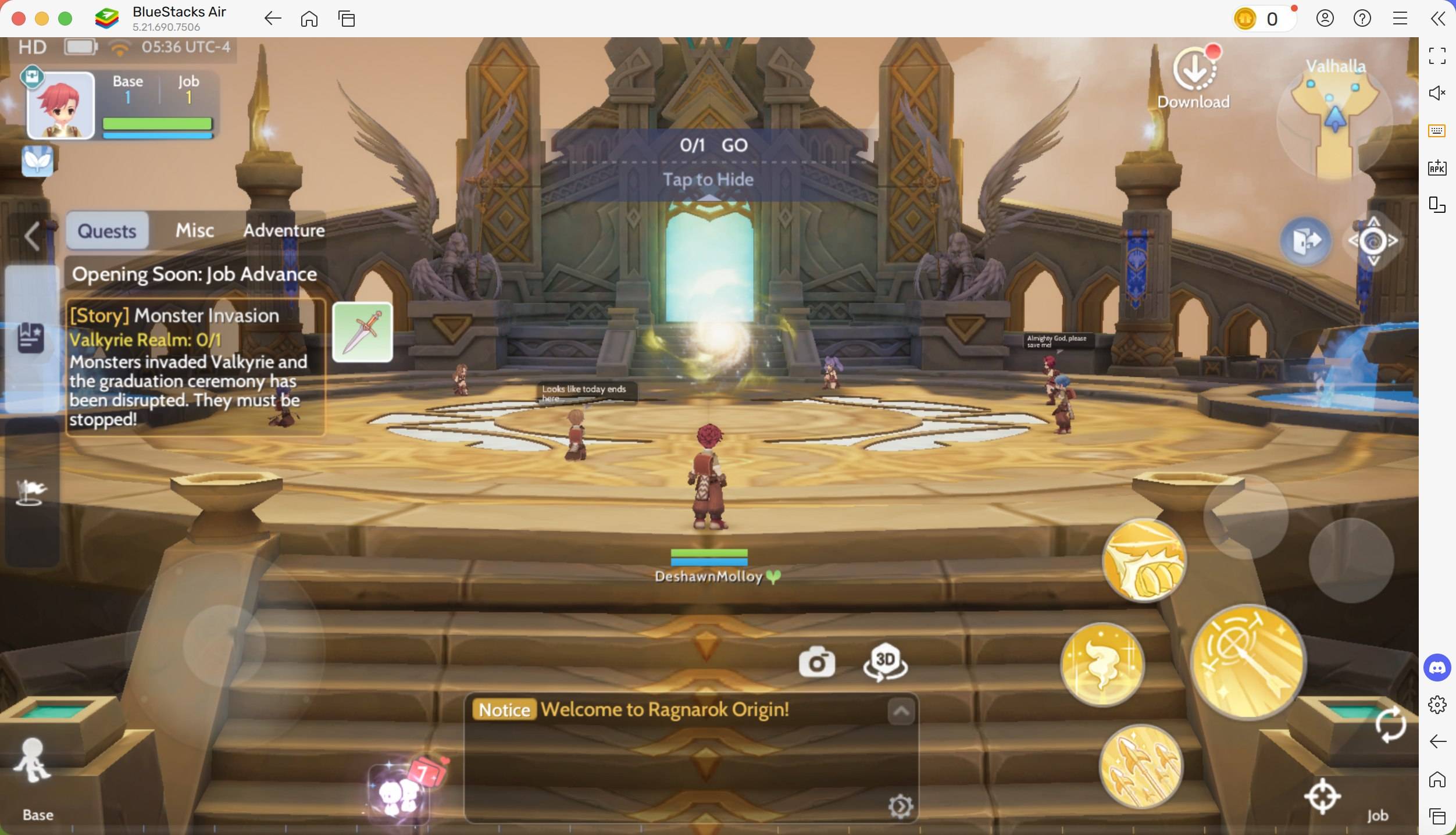
Playing Ragnarok Origin: ROO on a MAC device is a visual treat. The retina displays on MACs elevate the game's anime-stylized graphics, making the lush and diverse biomes come alive with vibrant colors and detailed textures. The high-resolution support ensures a crisp and immersive gaming experience, showcasing detailed character models and fluid animations.
Additionally, players can enjoy the game in full-screen mode, eliminating the limited visibility issues often found on mobile devices. By simply pressing Fn + F on your keyboard, you can switch to full-screen and utilize the larger screen of your MAC while maintaining the aspect ratio for optimal clarity. The wider field of view also enhances combat scenarios, allowing for more precise aiming.
Customize Comfortably Using Keyboard and Mouse Controls
One of the most challenging aspects of playing MMORPGs on mobile devices is the touch controls. BlueStacks Air solves this by allowing players to customize their controls for optimal gameplay using a keyboard and mouse. This setup offers more precise combat and efficient interaction with the game world compared to touchscreen controls.
A mouse enhances aiming and attacking accuracy, while assigning hotkeys to abilities ensures faster combat responses. This is crucial in Ragnarok Origin: ROO, where your loot depends on the dungeon level you clear. BlueStacks enables full keymapping customization, making inventory management and other actions more convenient than on a small screen.
To access the predetermined control set, press SHIFT + TAB on your MAC keyboard. These controls can be further tailored to your preferences, such as assigning a key to the mount button for quicker travel during quests.
Extended Gameplay without Battery Concerns or Notification Interruptions
Playing MMORPGs like Ragnarok Origin: ROO can be time-consuming due to extensive travel and participation in server-wide events. A significant drawback of mobile gaming is battery life, as these games consume substantial power, leading to battery drainage and overheating. Playing on a MAC device eliminates these issues, offering uninterrupted gameplay.
Additionally, mobile gaming often suffers from interruptions due to calls, messages, and notifications. Using BlueStacks Air on a Mac ensures an uninterrupted gaming experience, preventing disconnections during critical moments and allowing you to fully immerse in the fantasy world without distractions.
How to Install and Start Playing Ragnarok Origin: ROO on BlueStacks Air
Setting up BlueStacks Air on your MAC device is quick and straightforward, allowing you to play your favorite games with enhanced performance. Follow these steps to start playing Ragnarok Origin: ROO on your Mac:
- Download BlueStacks Air: Visit the game’s page and click on the "Play Ragnarok Origin: ROO on MAC" button to download the installer.
- Install BlueStacks Air: Double-click the BlueStacksInstaller.pkg file and follow the wizard to complete the installation.
- Launch and Sign-In: Open BlueStacks Air from the Launchpad or Applications folder. Sign in with your Google account to access the Play Store.
- Install Ragnarok Origin: ROO: Search for Ragnarok Origin: ROO in the Play Store and install it.
- Enjoy the Game! Launch the application and explore the hidden treasures in century-old dungeons!
Playing Ragnarok Origin: ROO on a Mac with BlueStacks Air offers numerous advantages, including enhanced visuals, improved controls, and extended gameplay without interruptions. The optimized performance of a MAC, combined with a crisp retina display and seamless keyboard and mouse controls, makes it a superior choice over mobile gaming. If you're seeking the ultimate ROO experience, switching to a Mac with BlueStacks Air is the way to go!