Unleash Your Creativity: A Comprehensive Guide to Avatar World Character Customization
Avatar World's character customization system lets you create avatars that perfectly reflect your style and personality. From body type and facial features to clothing and accessories, the possibilities are endless. This guide will walk you through the process, helping you design the avatar of your dreams.
Accessing the Character Creator
To begin your avatar's journey, open Avatar World and tap the avatar icon located in the top-right corner of the main screen. This will open the customization interface, where you can adjust every detail. You can revisit this menu anytime to refine your avatar's look.
Choosing Your Avatar's Body Type
Your customization adventure starts with selecting a body type. Avatar World offers three options:
- Child: A smaller, youthful build, ideal for playful avatars.
- Teen: A balanced option, offering versatility in style.
- Adult: A taller, more mature figure, perfect for sophisticated characters.
Your choice of body type affects your avatar's proportions but doesn't restrict clothing options; all outfits are available regardless of body type.
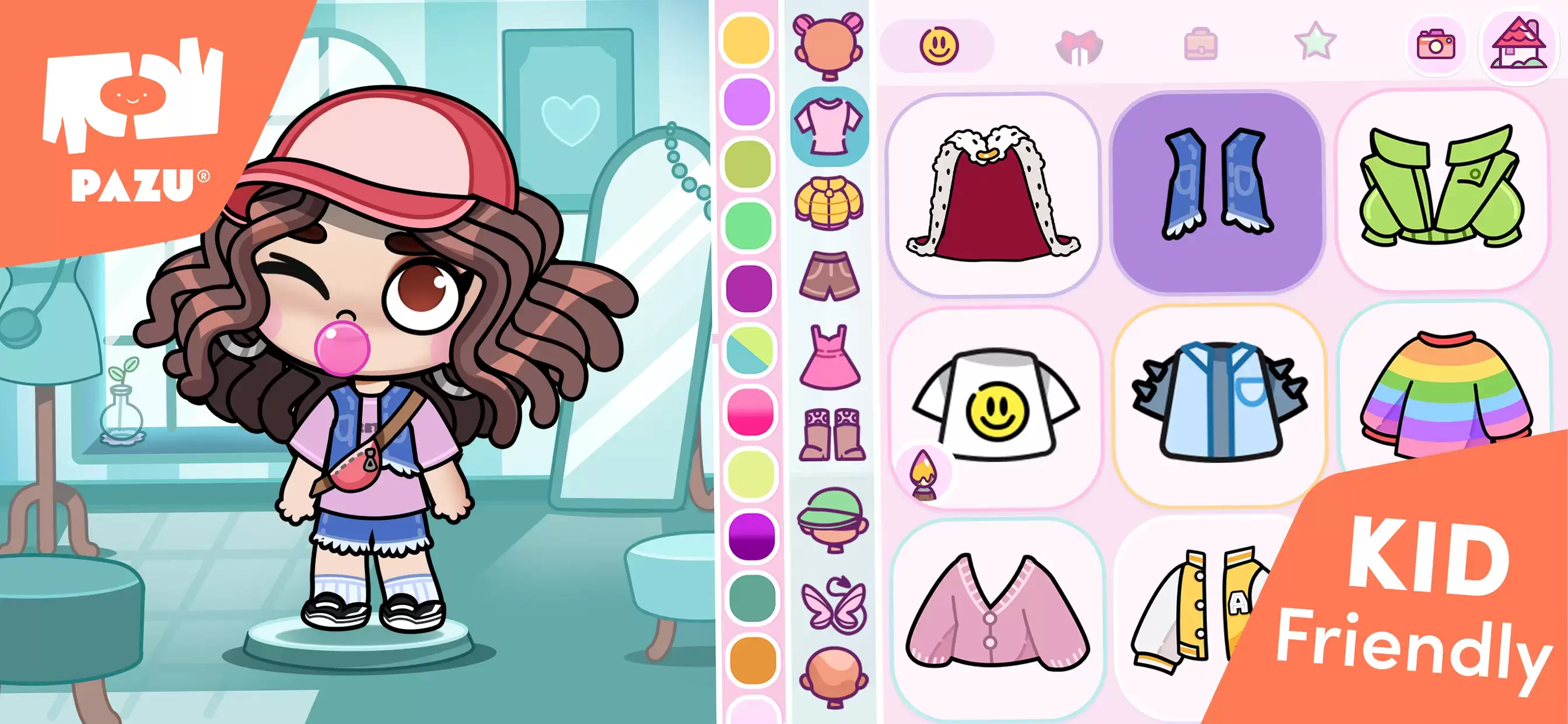
Mastering the Art of Customization: Tips and Tricks
- Experiment: Don't be afraid to try different combinations until you find the perfect look.
- Explore In-Game Stores: Discover unique outfits and accessories in the mall's fashion boutiques.
- Utilize Color Editing: Fine-tune colors to perfectly match your desired style.
- Mix and Match: Combine different clothing items to create truly personalized outfits.
- Storytelling with Expressions: Adjust facial expressions to enhance role-playing and storytelling.
Avatar World's character customization provides a wealth of options for self-expression. Whether you're aiming for casual, formal, or playful, the possibilities are limitless. This guide empowers you to create an avatar that truly represents you.
For an enhanced gaming experience, consider playing Avatar World on PC with BlueStacks for improved controls and a larger screen.