IGN's interactive map for *Assassin's Creed Shadows* is now live, serving as your ultimate guide to exploring the nine provinces of feudal Japan. This comprehensive tool meticulously tracks every Collectible, Activity, Main Quest, and Side Quest you'll encounter during your journey.
Unlike its predecessors in the Assassin's Creed series, *AC Shadows* introduces a fresh gameplay mechanic where the fog of war isn't automatically lifted upon activating Viewpoints. Instead, players must **manually uncover** the map, revealing locations of Landmarks, Collectibles, Activities, and Quests. Fortunately, IGN's *AC Shadows* interactive map comes packed with **thousands of map points**, making it an indispensable companion for navigating Japan's vast landscape.
See the full Assassin's Creed Shadows Interactive Map for all locations and collectibles.
Assassin's Creed Shadows Interactive Map
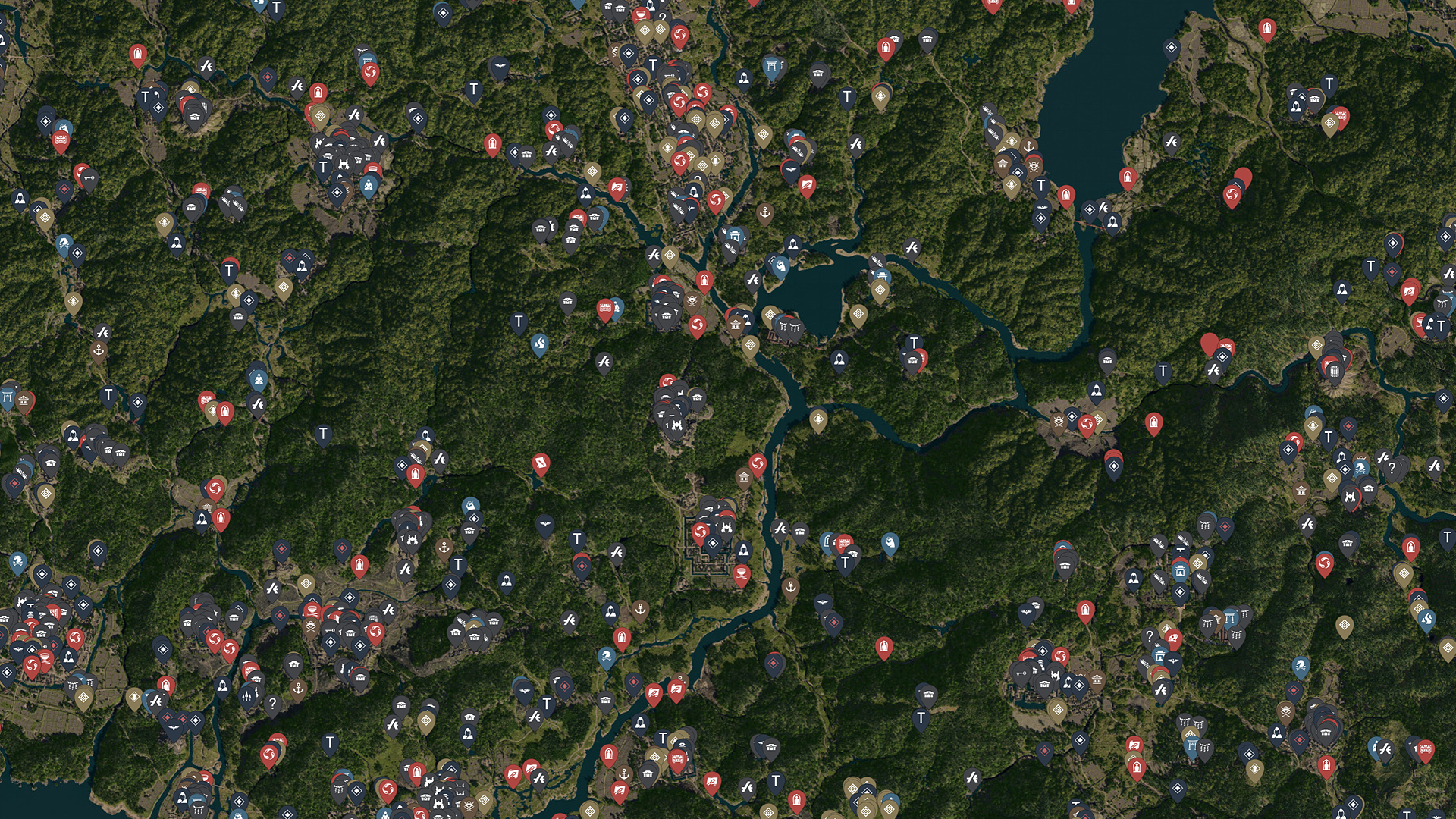
IGN's *Assassin's Creed Shadows* interactive map features a detailed set of filters to streamline your exploration:
- Collectibles: Discover Legendary Chests, Origami Butterflies, Jizo Statues, Legendary Sumi-e, Valuable Objects, Kano Paintings, Kamon Crests, and Cultural Discoveries.
- Activities: Engage in Kofuns, Shrines, Temple Lost Pages, Kuji-kiri, Kata, Horse Archery, and explore Hidden Trails.
- Locations: Navigate through Castles, Viewpoints, Kakuregas, Landmarks, and Hostile Landmarks.
- Services: Utilize Gear Vendors, Ornament Vendors, and Port Traders to enhance your gear and resources.
- Quests: Track your progress with Main Story Quests, Side Quests, and Contract Targets.
Additionally, the map highlights **other notable markers** such as Keys, Samurai Daisho locations, common resource and gear chests, and Stockpiles, ensuring no detail is overlooked.
To make the most out of the map, utilize the **filter options** located on the **left-hand side** of the interactive map. Here, you can easily **toggle filters on and off** to customize your view, focusing solely on the categories that matter most to your playthrough.
Clicking on any map icon will provide you with detailed instructions on locating items, along with a convenient checkbox to mark what you've already collected or completed, keeping your adventure organized and efficient.