Create Your Own Wi-Fi Hotspot Using NetShare
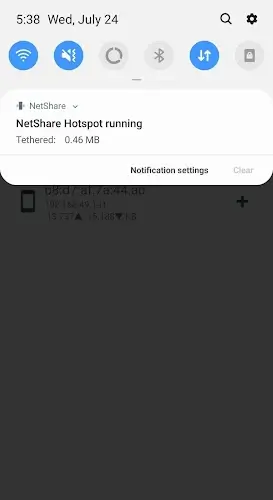
NetShare is an Android application that enables users to create a personal Wi-Fi hotspot and share their mobile data connection with other devices without needing to root their device. You can configure hotspot settings, set a network name and password, and connect multiple devices to your shared network. The app is compatible with various Android versions to ensure smooth, error-free performance. It also provides secure connection options and an intuitive interface for linking with other Android applications. In short, NetShare offers an easy and convenient way to share your internet connection and expand network access.
Creating Your Own Hotspot
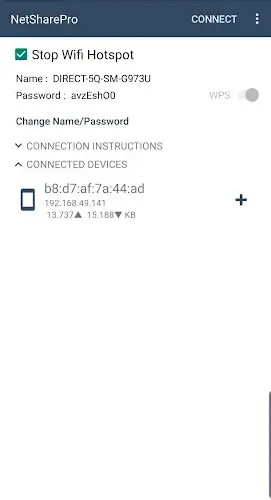
With NetShare, you can easily create your own Wi-Fi hotspot. The setup process is similar to connecting a modem to extend your internet link and distribute your mobile data. You also gain control over who can access your hotspot, eliminating the need to frequently change your mobile data network password. Following connection best practices is essential to maintain a stable and secure network, all contributing to the versatility and functionality of the NetShare app.
Benefits of Creating a Wi-Fi Router
Turning your device into a Wi-Fi router offers several benefits. It allows effortless connectivity for various gadgets and provides connection instructions after each successful setup. When two Android devices have NetShare installed, they can quickly establish a connection. Connections between different types of devices may require additional steps, especially when modifying address and proxy configurations. Note that the latest version of the app includes specific support for Android 12, ensuring seamless performance on the newest operating system.
How to Set Up and Optimize the NetShare App for Creating and Sharing a Wi-Fi Hotspot
Configuring Your Wi-Fi Hotspot Information
- Whether you're streaming mobile data or tethering for friends, create a connection directly through the app.
- Choose a network name and password to simplify sharing connection details.
- The setup takes only minutes—enable WPS to finalize your hotspot creation.
- You can also provide an easy way for friends to connect to your network.
Establishing Connections Between Android Apps
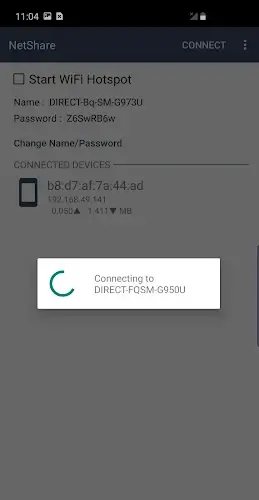
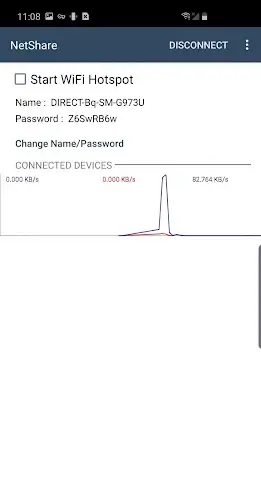
- After creating your hotspot with NetShare, follow the instructions for various device types to connect.
- If your friend uses an Android device, they should install the app for a straightforward connection.
- They can then open the app, tap the connect button, grant the necessary permissions, and join the network.
Adjusting Address and Proxy Settings for Connection
- If a friend connects from a non-Android device, they may need to adjust address and proxy settings.
- Share these parameters securely with your friends.
- Once configured, they can use the connection privately and prevent unauthorized access.
Using the Correct App Version with a Supported Operating System
- Before installing the app, verify that your device meets the system requirements.
- NetShare requires Android 6.0 or higher.
- Check your device configuration beforehand to ensure all app features work correctly.