Magisk Manager is the essential tool for Android enthusiasts looking to control root access on their devices. After successfully rooting your device, Magisk Manager empowers you to manage and grant root permissions to various apps with ease. For an added layer of security, the app supports biometric verification, meaning you can approve superuser access only through fingerprint or facial recognition, ensuring your device's safety.
Features of Magisk Manager:
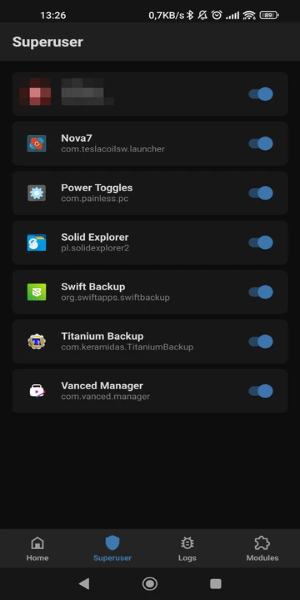
❤ Manage Root Permissions: With Magisk Manager, you can effortlessly manage root permissions on your Android device. Once you've unlocked the bootloader and flashed the required files to root your device, Magisk Manager becomes your go-to solution for granting or denying root access to apps requesting it.
❤ Enhanced Security: To bolster security, Magisk Manager integrates biometric authentication, enabling you to grant superuser permissions solely through fingerprint or facial recognition, adding a robust security measure to your rooted device.
❤ Install Root-related Modules: Magisk Manager also facilitates the installation of various modules that enhance root functionality. For instance, you can install the SafetyNet Fix module, which cleverly hides root access and an unlocked bootloader from apps that might otherwise restrict your use.
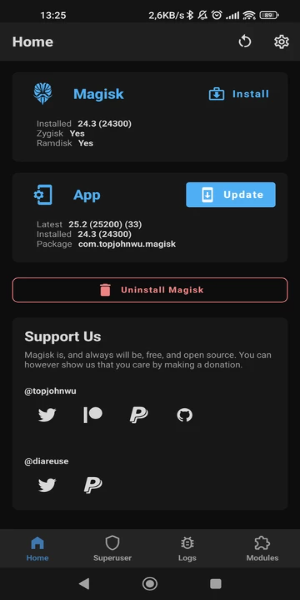
❤ Improved Efficiency with Zygisk: From the settings menu, you have the option to install Magisk with Zygisk, which allows developers to craft more efficient modules by preloading resources into system memory. This significantly boosts the performance of these modules.
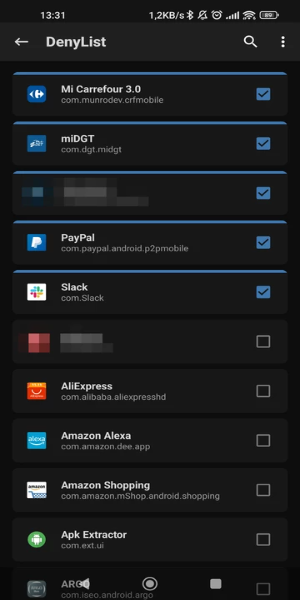
❤ Hide Root for Restricted Apps: You can selectively hide root from certain applications, ensuring you can use them without encountering any issues or limitations. This is particularly useful for games, banking apps, and payment apps that might otherwise restrict functionality on rooted devices.
FAQs:
❤ What is Magisk Manager?
Magisk Manager is the official application designed for managing root access on Android devices. It provides users with the ability to grant or deny root permissions to apps and install modules to enhance root functionality.
❤ Can I uninstall it?
Yes, you can uninstall Magisk Manager if you no longer wish to use root access on your device. However, doing so will not automatically remove root access from your device. You'll need to follow specific steps to unroot your device completely.
❤ Is it safe to use?
Magisk Manager is generally considered safe to use, provided you adhere to proper procedures and download modules from trusted sources. However, rooting your device and installing third-party modules inherently carries some risks, so it's crucial to proceed cautiously.
Design and User Experience
Intuitive Root Management
Magisk Manager offers a user-friendly interface that simplifies managing root permissions on Android devices. Users can easily grant or deny root access to apps through a streamlined dashboard, making root management a breeze.
Biometric Security Integration
The app enhances security with biometric authentication options. Users can set up fingerprint or facial recognition to control superuser permissions, providing an additional layer of protection against unauthorized access.
Simple Setup Process
Magisk Manager guides users through the initial setup, including unlocking the bootloader and flashing the necessary files. This process is designed to be straightforward and accessible, even for those new to rooting their devices.
Clear Permission Control
Users can view and manage all apps requesting root access in one centralized location. This clear overview makes it easy to adjust permissions and monitor app activities, ensuring you're always in control.
Regular Updates and Support
The app is frequently updated to maintain compatibility with the latest Android versions and rooting methods. Users benefit from ongoing support and continuous improvements to the app's functionality.
What's New
Minor bug fixes and improvements have been made. Install or update to the newest version to experience these enhancements!