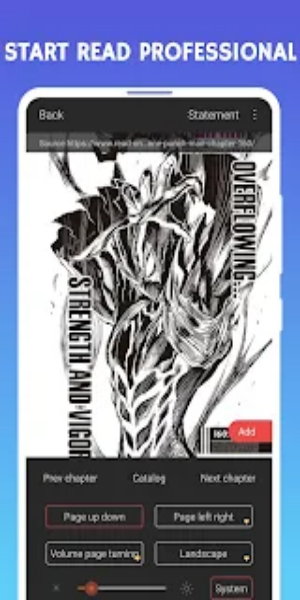
Manga Fox delivers a powerful browser with a dedicated reader for manga, manhwa, and comic novel websites. It provides a fast, secure, and intelligent mobile browsing experience—complete with simple navigation, wide-ranging customization, and strong security features to protect your online privacy.

Features
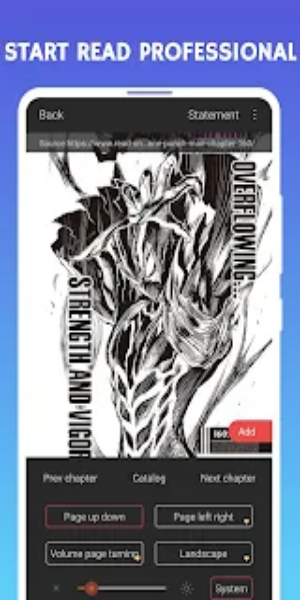
Read Mode: Experience the exclusive comic mode across the entire web—designed to deliver flawless continuous scrolling on comic and image-heavy sites. Enjoy smooth, uninterrupted image viewing without flipping pages.
Privacy Mode: Keep your online activities private with Manga Fox’s complete privacy features. Browse in incognito mode, encrypt websites you visit, and conceal your history to protect your data from unwanted attention.
Ad Blocking: Browse free of distractions with automatic ad blocking. Manga Fox removes intrusive ads, pop-ups, and sponsored content—so you can read with fewer interruptions.
Advertising Sign: Take control of ads with robust tagging. Simply mark unwanted advertisements to hide them from view and maintain a clean, enjoyable reading space.
Smart Toolbar: Access favorite websites, bookmarks, and history instantly with Manga Fox’s Smart Toolbar. Just tap to go—no typing needed—for faster, more convenient browsing.
Privacy Protection: Safeguard your digital footprint with Do Not Track support. Block advertisers from collecting your browsing data and enhance your privacy with each visit.
Extremely Simple: Easily customize and organize preset sites to fit your browsing style. Reorder shortcuts, personalize the info panel, and set preferred search engines your way.
Fast Browsing: Enjoy quick page loads and smooth scrolling for seamless navigation. Manga Fox reduces memory usage and speeds up your browsing, page after page.
Fast Speed and Data Saving: Save data by blocking unnecessary information and activating a picture-free reading mode. Manga Fox helps you browse longer, even on limited data plans.
How to Use
1. Activate Read Mode: Switch on the exclusive Read Mode for smooth, continuous image reading on comic and manga sites—no more interruptions from page reloads.
2. Enable Privacy Mode: Turn on Privacy Mode to browse privately. This encrypts sites you visit and prevents tracking for stronger security.
3. Utilize Ad Blocking: Go to Ad Blocking settings and enable automatic blocking of intrusive ads. Tweak settings to fit your preferences for a cleaner reading experience.
4. Manage Advertising: Use the Advertising Sign feature to mark and remove disruptive ads. Take control of what appears during your browsing sessions.
5. Navigate with Smart Toolbar: Access frequent sites, bookmarks, and history with one tap using the Smart Toolbar—no typing required for quicker navigation.
6. Enhance Privacy: Enable “Do Not Track” in privacy settings to keep advertisers from collecting your data and safeguard your online identity.
7. Customize Settings: Personalize your Manga Fox experience by editing preset sites, changing their order, and customizing search engines and the info panel.
8. Optimize Speed and Data Usage: Speed up your browsing with optimized page loading and smooth scrolling. Use data-saving mode and picture-free reading to reduce data consumption.

Conclusion:
Manga Fox - Manga Comic Reader is the go-to tool for manga fans looking for smooth, secure browsing. With innovative tools like Read Mode for seamless image viewing, strong privacy protections including incognito browsing and ad blocking, plus the convenient Smart Toolbar for quick access, Manga Fox adapts to fit your reading needs. Explore various genres, customize settings, and join a global community of readers enjoying an expansive collection of manga and comics—all with Manga Fox as your reliable companion.