KuGamer is a powerful application designed for seamless management of mouse and keyboard converters. Users can personalize key bindings, store custom profiles, and perform firmware updates with ease. Perfect for gamers and professionals who demand accurate control and enhanced productivity in their gaming or work environments.
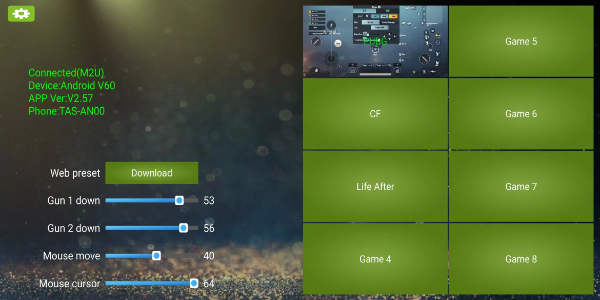
How to Use KuGamer
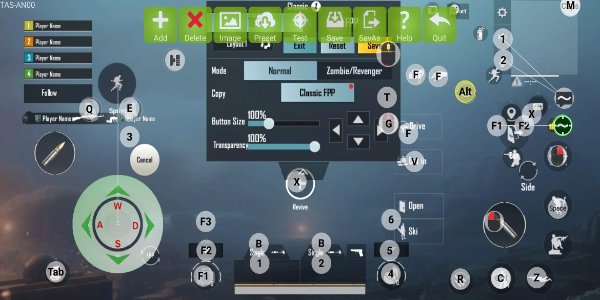
Editing Key Mapping
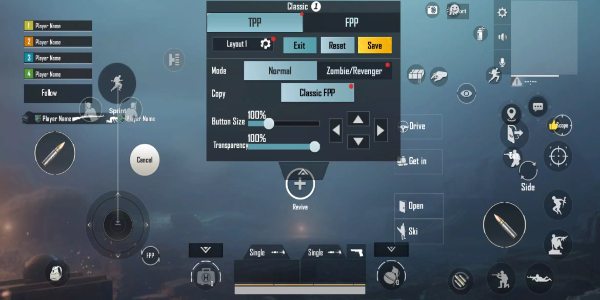
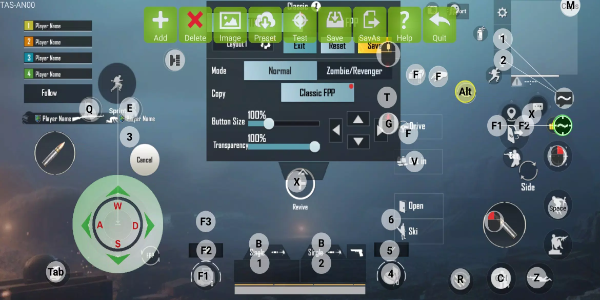
Open KuGamer and access the key mapping feature.
Choose the specific keys or buttons on your converter device that require customization.
Assign your preferred functions or macros to each selected key for optimal performance.
Store your personalized key configurations for quick access across various applications.
Saving and Managing Configurations
Once your key mappings are finalized, use the "Save" option to store your current setup.
Generate separate profiles for different games or work scenarios by saving unique configurations.
Switch between stored profiles directly from the app's interface whenever needed.
Updating Firmware
Access the firmware update section in KuGamer's settings menu.
Carefully follow the displayed steps to install the newest firmware version for your converter.
Maintain a stable internet connection throughout the update procedure for successful installation.
Navigating the User Interface
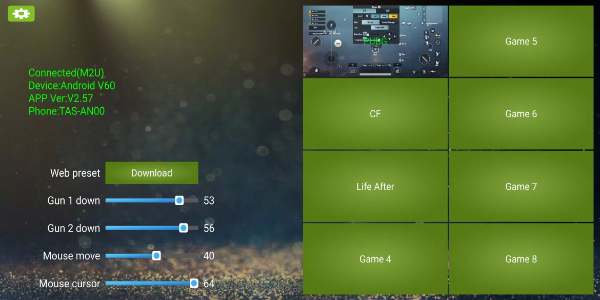
KuGamer offers a streamlined interface built for effortless operation.
Locate key mapping tools, profile management, and update functions through well-organized menus.
Use built-in guidance features for quick reference on various app functionalities.
Optimizing Performance
Test various key mapping combinations to discover your ideal setup for gaming or work.
Adjust sensitivity and response settings to achieve peak performance in your applications.
Leverage KuGamer's adaptability to create specialized configurations for different usage scenarios.
Features of KuGamer
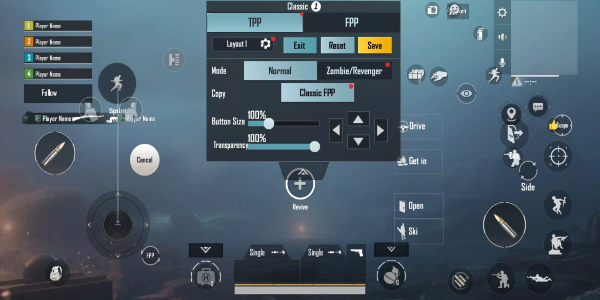
Customizable Key Mapping
KuGamer provides comprehensive key customization, allowing users to perfect their gaming rig or workspace setup. From specialized gaming controls to efficient productivity shortcuts, this functionality guarantees every input is optimized for your specific needs, delivering unmatched precision and comfort.
Save and Manage Configurations
KuGamer enables effortless storage and organization of multiple control profiles. Whether adapting to different game genres or switching between professional applications, this smart feature eliminates repetitive setup tasks, offering instant access to your preferred configurations.
Firmware Update Capability
Maintain peak device performance with KuGamer's built-in firmware updates. These regular improvements ensure your converter remains compatible with the latest software while introducing new features to continuously enhance your experience.
Intuitive User Interface
KuGamer's clean, user-centric interface makes advanced customization accessible to everyone. Logical navigation and straightforward controls eliminate complexity, allowing both beginners and experts to modify settings with confidence.
Compatibility and Support
KuGamer works harmoniously with numerous mouse and keyboard converter models from various manufacturers. This extensive compatibility ensures you can integrate the application with your preferred hardware setup, regardless of brand or specifications.
Enhanced Control and Performance
KuGamer's precision tuning capabilities deliver superior control and responsiveness in both games and professional software. Custom binding configurations translate to faster reactions and more efficient workflows, giving you a significant advantage in competitive gaming or demanding work projects.
Unlock Precision and Efficiency with KuGamer
Transform your gaming and productivity experience with KuGamer. Customize every input, organize multiple control schemes, and keep your equipment updated with cutting-edge firmware. Install KuGamer today to revolutionize your setup and achieve new levels of performance.