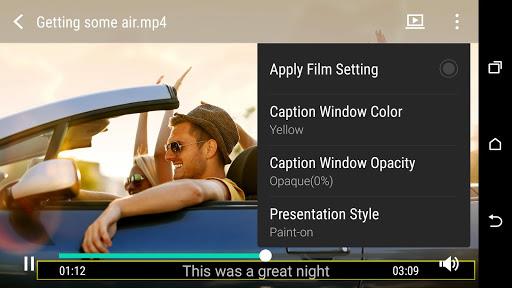
Introducing HTC Service—Video Player, the ultimate app for all your video needs. With its powerful decoding capabilities, this app ensures smooth playback for both online streaming content and videos saved on your phone. But that's not all! HTC Service—Video Player is packed with unique gesture controls that make your video watching experience even more enjoyable. Simply swipe side-to-side with two fingers to fast forward or rewind, or swipe up with three fingers to share media with your friends. With features like capturing still images, trimming video clips, adjusting slow motion videos, support for various video formats, and subtitle support, it has everything you need for the perfect viewing experience. Get ready to take your video watching to the next level!
Features of HTC Service—Video Player:
- Smooth playback for streaming content and videos saved on your phone
The app is equipped with powerful decoding capabilities to ensure smooth playback for both streaming content and videos saved on your phone. Whether you're watching videos online or playing back videos from your phone's gallery, you can enjoy seamless and uninterrupted viewing experience.
- Unique gesture controls for easy navigation
The app offers unique gesture controls that make navigating through your videos a breeze. For example, you can swipe side-to-side with two fingers to fast forward or rewind the video. Additionally, you can swipe up with three fingers to quickly share the media with your friends.
- Capture still images from a video
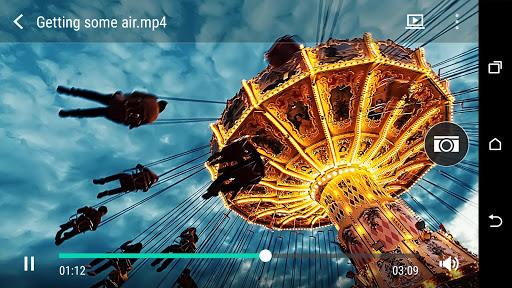
With this app, you can easily capture still images from a video. This feature comes in handy when you come across a memorable moment or want to save a specific frame from a video. Simply pause the video, tap on the capture button, and you'll have a high-quality image to keep or share.
- Trim video clips quickly and without quality loss
The app allows you to trim video clips with precision and without any loss in quality. Whether you want to remove unwanted parts from a video or create a shorter clip, this app makes it easy to edit and customize your videos on the go.
- Adjust speed of slow motion videos (not available on all phones)
If your phone supports slow motion video recording, this app allows you to adjust the speed of these videos. Whether you want to enhance or slow down the action, you have full control over the playback speed, adding a creative touch to your videos.
- Support for many popular video formats
HTC Service—Video Player supports a wide range of video formats, ensuring compatibility with almost any video file you have on your phone. This eliminates the need for third-party video players, as you can rely on this app to handle all your video playback needs.
Tips for Users:
- Utilize the gesture controls for a seamless viewing experience
Experiment with the gesture controls offered by this app to enhance your viewing experience. Swipe side-to-side with two fingers to quickly navigate through the video, making it easy to skip to your favorite parts. Swiping up with three fingers allows you to instantly share the media with friends, saving you time and effort.
- Capture those special moments with still images
Whenever you come across a memorable moment in a video, take advantage of the capture still image feature. Simply pause the video and tap on the capture button to save a high-quality image. This feature is perfect for capturing funny, emotional, or breathtaking moments that you want to cherish or share with others.
- Edit and personalize your videos on the go
Don't have a separate video editing app? No problem! HTC Service—Video Player allows you to trim video clips quickly and easily. Whether you want to remove unwanted parts or create a shorter clip, the app provides a user-friendly interface for editing your videos on the go. Don't sacrifice quality when customizing your videos with this app.
Conclusion:
HTC Service—Video Player is a feature-rich app that offers smooth playback for streaming content and videos saved on your phone. Its unique gesture controls make navigation effortless, and features like still image capture and video trimming allow you to personalize your videos on the go. With support for popular video formats and additional features like adjusting slow motion video speed, it is a versatile app that eliminates the need for third-party video players. Enjoy a seamless viewing experience and unleash your creativity with this app.