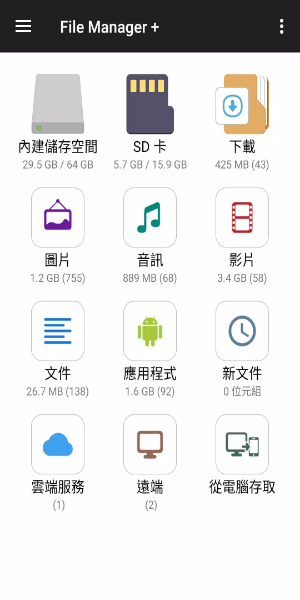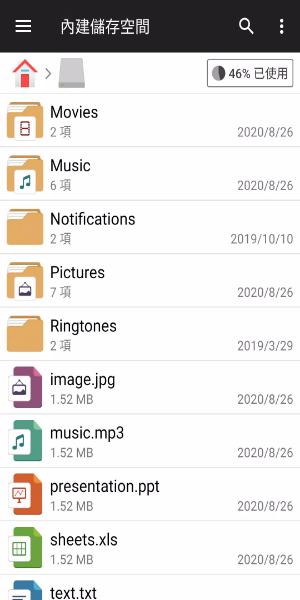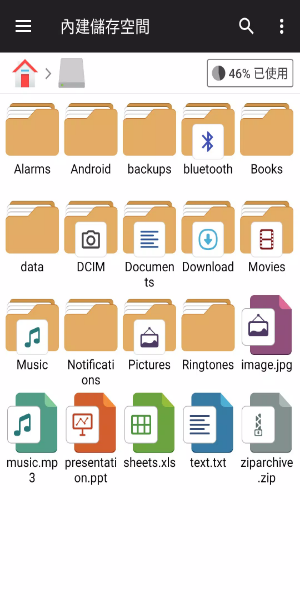
Discover the File Manager Plus for Android—a free, swift, and fully-featured file explorer designed to easily handle your device storage, NAS, and cloud services. Boasting intuitive controls and a clean interface, it simplifies organizing, moving, and assessing files across every device you own.
Key Features of File Manager Plus
An All-in-One File Management Solution:
File Manager Plus is the ultimate tool for browsing files and directories on Android. It supports a wide variety of operations such as opening, searching, navigating folders, copying, pasting, cutting, deleting, renaming, compressing, extracting, transferring, downloading, bookmarking, and organizing files of all kinds, including media and APKs.
Complete Storage Management:
Manage files effortlessly across Internal Storage, SD card, and USB OTG. From Downloads, New files, Images, Audio, and Videos to Documents, each category is neatly sorted for quick access. You can also view and control every installed app right from the application.
Cloud and Remote Storage Access:
Connect with cloud storage providers such as Google Drive™, OneDrive, Dropbox, Box, and Yandex, plus access networked or shared storage like NAS and FTP servers. You can even use FTP to connect your PC to your Android device’s storage for efficient file transfers.
Storage Analysis and Cleanup
Examine local storage to spot and remove unneeded files, freeing up space. Quickly see which files and apps are using the most storage and take action to reclaim capacity.
Utilities and Integrated Tools
Enhanced Media Handling:
View images, play music, and edit text documents without leaving File Manager Plus. These integrated tools offer fast, seamless performance when you’re handling media or text files anytime, anywhere.
Archive Management:
Conveniently compress and decompress archived files. The app supports zip for creating archives and zip, gz, xz, and tar for extracting content from compressed files.
Supports Multiple Devices:
Built for Android TV, phones, and tablets, File Manager Plus delivers reliable performance across your gadgets, giving you a smooth, consistent file management experience on every screen.
User Experience and Accessibility
User-Friendly Interface:
Thanks to its straightforward yet powerful design, File Manager Plus offers an easy experience for beginners and experts alike. The layout and navigation focus on simplicity and speed, putting essential file controls right at your fingertips.
Completely Free with All Features:
File Manager Plus is totally free—no hidden fees or in-app purchases. All capabilities are available immediately after download, giving you powerful file management with no strings attached.
Stay Organized and Secure:
Organize files and folders confidently in a secure environment. File Manager Plus protects sensitive data and ensures all operations are handled safely and efficiently.
Get File Manager Plus today and master your files like never before. Enjoy smooth and effective file management across all your devices.